Samsung Galaxy Tab A11 Review: Features, Performance & Specifications
Looking for a tablet that fits your daily life without slowing you down? The Samsung Galaxy Tab A11 might catch your eye. This tablet brings a fresh design and smart features to the table.
Samsung packs an 8.7 inch display with a smooth 90Hz refresh rate into this device. It runs on the MediaTek Helio G99 chipset. You get solid performance for everyday tasks like streaming and browsing.
The tablet ships with Android 15 and One UI 7. Samsung promises 7 years of software support. That means your tablet stays fresh for a long time.
This review looks at what makes the Galaxy Tab A11 stand out. We cover the display, performance, battery life, and camera quality. You will also see how it compares to other tablets in its class.
Ready to find out if this tablet suits your needs? Let’s jump into the details.
In a Nutshell
Here is a quick snapshot of what the Samsung Galaxy Tab A11 brings to the table.
- Chipset power: It runs on a MediaTek Helio G99 chip. This handles daily tasks and light gaming with ease.
- Memory options: You get 4GB to 8GB RAM and 64GB to 128GB storage. Expandable storage means you never run out of space.
- Software longevity: Samsung promises 7 years of software support. Your tablet stays fresh and secure for a long time.
- Camera setup: The cameras are basic. They work fine for quick shots but won’t impress photography fans.
- Charging speed: Charging is slow compared to rivals. Also note that no charger comes included in the box.
- Connectivity: Bluetooth 5.3 keeps your wireless connections stable and fast for accessories.
- Design appeal: The stylish and portable build makes this tablet easy to carry around all day.
This tablet blends smart features with a few trade-offs. It fits users who want smooth performance without heavy demands.
Display and Design
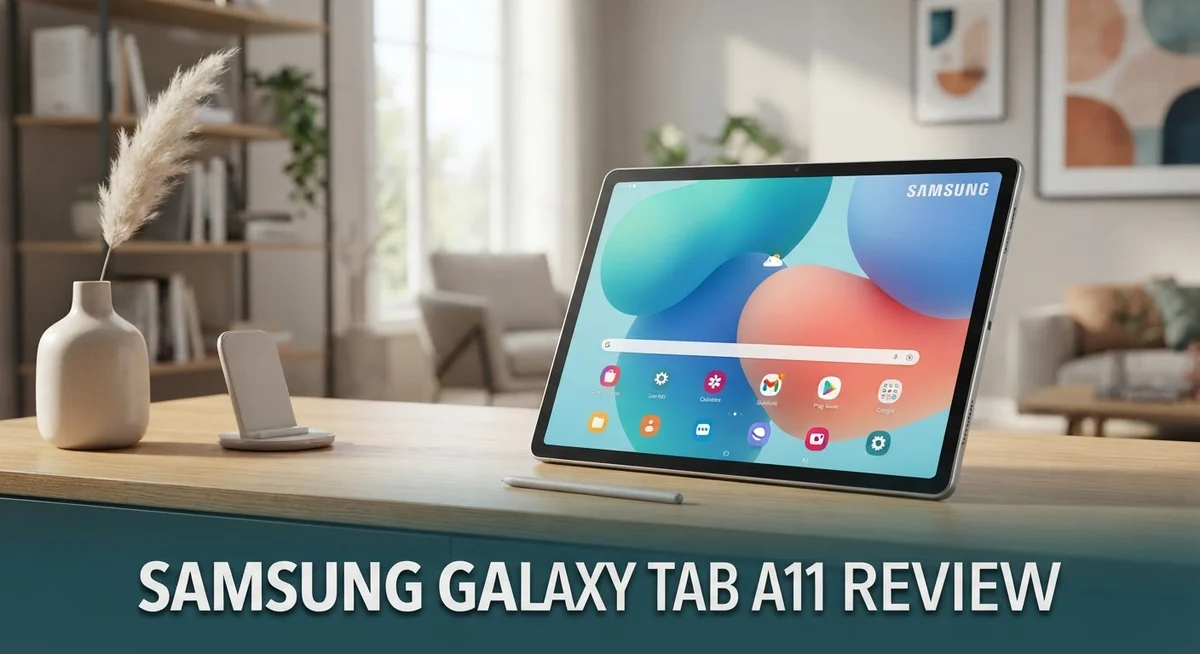
The 8.7 inch screen on the Galaxy Tab A11 delivers a crisp viewing experience with its 1340×800 WXGA+ resolution. Colors pop nicely, and the display handles everyday tasks like browsing, video watching, and reading without strain.
The 90Hz refresh rate makes scrolling feel buttery smooth. When you swipe through apps or web pages, motion looks fluid rather than choppy. This refresh rate lifts the overall feel above basic tablets in this category.
The display sits within thin bezels, giving you more screen real estate in a compact frame. The 8.7 inch size strikes a nice balance between portability and usable screen space. You can hold it one-handed for reading or prop it up for media consumption.
The tablet’s design emphasizes portability above all else. The body feels light enough to slip into a bag without adding bulk. The back has a subtle finish that resists fingerprints reasonably well. Edges are rounded, making the device comfortable to grip during extended use.
The slim profile means you can take this tablet anywhere without hassle. Whether you’re commuting, traveling, or just moving between rooms at home, the form factor cooperates. The weight distribution feels balanced, so your hands don’t tire quickly.
Build quality appears solid for the category. The materials feel durable rather than flimsy. The tablet withstands daily handling without creaking or flex in the chassis.
The stylish appearance appeals to users who care about aesthetics. The tablet doesn’t scream budget device. It carries itself with a clean, modern look that works in professional or casual settings alike.
One trade-off: the tablet lacks a charger in the box. This means you’ll need to source a USB-C power adapter separately. It’s an odd omission that affects initial setup.
The display and design work together to create a tablet that feels premium despite its practical positioning. The screen quality matches the portable form factor perfectly. You get a device that looks good, feels comfortable to hold, and performs smoothly in daily use.

- 8.7 Inches, 90Hz Display (220.5mm), 1340 x 800 (WXGA+), TFT, 16M colors, Android 15, One UI 7, with...
- 64GB ROM, 4GB RAM, Mediatek Helio G99 (6nm), Octa-core, Mali-G57 MC2 GPU, MicroSD card slot for upto...
Last update on 2026-09-26 / Affiliate links / Images from Amazon Product Advertising API
Performance and Processing Power
The MediaTek Helio G99 chipset powers the Galaxy Tab A11. This processor handles everyday tasks with solid performance. You can browse the web, check email, and stream videos without lag.
Real world performance shows the chip manages multitasking well. Switching between apps feels smooth. The tablet keeps up with your daily workflow. However, benchmarks reveal the Helio G99 runs about 5 to 7 percent slower than the previous Tab A9 generation.
Gaming on this tablet works fine for casual titles. You can play lighter games without issues. Demanding 3D games may experience occasional frame drops. The GPU handles graphics decently for the category. Heavy gaming sessions might cause the device to warm up a bit.
The RAM options give you flexibility. The 4GB model suits basic users who browse and read. The 8GB variant handles heavier multitasking better. More RAM means smoother app switching and better performance during intensive tasks.
Storage expands through the microSD card slot. You get either 64GB or 128GB built in. Adding a microSD card lets you store thousands of photos and videos. This expandability removes storage worries for most users.
The processor keeps power consumption efficient. The 5100 mAh battery lasts through a full day of moderate use. Heavy users might need to charge by evening. The efficient chipset means longer battery life compared to more powerful processors.
Processing power on the Galaxy Tab A11 sits in the middle ground. It is not a gaming powerhouse. It is not a workstation replacement either. What it does is deliver reliable everyday performance without breaking a sweat.
The Helio G99 includes an AI processing unit. This handles machine learning tasks on device. Features like photo enhancement work smoothly. Voice commands respond quickly thanks to this processing capability.
For content consumption, this tablet excels. Watching movies and reading articles feels responsive. The processor never feels like a bottleneck for these activities. You get a smooth experience that matches your expectations at this performance level.
Battery Life and Charging
The 5100 mAh battery inside the Galaxy Tab A11 keeps you productive throughout your day. You get solid endurance for reading, streaming, and light work tasks without constant charging interruptions.
Real world usage shows the battery lasts well through a full day of mixed activities. Watching videos, browsing the web, and checking emails all drain the battery at a reasonable pace. Heavy gaming sessions will deplete it faster, but casual use stretches the battery much longer.
The display’s 90Hz refresh rate does consume more power than standard 60Hz screens. Samsung optimized the software to balance smoothness with battery efficiency. You still get all day usage even with the higher refresh rate active.
Charging speed presents the main battery drawback here. The Galaxy Tab A11 charges slowly compared to competitors in this category. You’ll need patience when topping up the battery. A full charge takes several hours, so plan ahead if you need the tablet ready quickly.
One important note: Samsung does not include a charger in the box. You must purchase a USB-C power adapter separately. This adds an extra step if you don’t already own compatible chargers at home.
The battery management system keeps things running smoothly. Android 15 with One UI 7 handles power distribution intelligently. Background apps don’t drain the battery unnecessarily when you’re not using them.
For travel and commutes, the battery performance suits most users well. You can confidently take the tablet on trips without carrying a charger for short outings. Longer journeys might require a power bank or charger access.
The 5100 mAh capacity sits in the middle range for tablets this size. It’s not the largest battery available, but Samsung’s optimization makes it work effectively. You won’t experience battery anxiety during normal daily tasks.
Battery longevity remains solid over time. The battery should maintain good health for several years of regular use. Samsung’s software updates help preserve battery performance as the tablet ages.
Top 3 Alternatives
Apple iPad

- WHY IPAD — The 11-inch iPad is now more capable than ever with the superfast A16 chip, a stunning...
- PERFORMANCE AND STORAGE — The superfast A16 chip delivers a boost in performance for your favorite...

Last update on 2026-09-26 / Affiliate links / Images from Amazon Product Advertising API
The Apple iPad stands as a strong alternative for users who prefer Apple’s ecosystem. This tablet runs iPadOS, which offers smooth performance and access to the App Store. The display quality is excellent, making it great for watching videos and reading content.
Battery life on the iPad lasts longer than many competitors. The device integrates seamlessly with other Apple products like iPhones and MacBooks. If you already use Apple devices, this tablet fits naturally into your setup.
The iPad offers various storage options to suit different needs. Its processor handles multitasking and apps without lag. The build quality feels premium and durable for daily use.
Lenovo Tab P11

- POWER YOUR STUDY, FUEL YOUR PLAY – Discover smarter learning with the Lenovo Idea Tab. Stay...
- SMOOTH, POWERFUL, IMMERSIVE – The MediaTek Dimensity 6300 processor is more powerful than ever...
Last update on 2026-09-26 / Affiliate links / Images from Amazon Product Advertising API
The Lenovo Tab P11 delivers solid performance at a reasonable price point. This tablet features a large 11-inch display that’s perfect for productivity and entertainment. The screen resolution provides clear visuals for work and streaming.
Lenovo includes practical features like a built-in stand in some models. The processor handles everyday tasks smoothly. The device runs Android, giving you access to Google Play Store apps and services.
Battery performance keeps the tablet running throughout your day. The design is lightweight, making it easy to carry around. Storage capacity options let you choose what works for your needs.
Amazon Fire HD

- Do what you love, uninterrupted — 25% faster performance than the previous generation and is ideal...
- High-def entertainment — A 10.1" 1080p Full HD display brings brilliant color to all your shows...
Last update on 2026-09-26 / Affiliate links / Images from Amazon Product Advertising API
The Amazon Fire HD tablet focuses on content consumption and Amazon services. This device integrates directly with Amazon Prime, giving you instant access to movies, shows, and music. The display quality is good for streaming and reading.
The Fire HD operates on a custom Android version optimized for Amazon’s ecosystem. Setup is straightforward if you have an Amazon account. The device supports apps from the Amazon Appstore.
This tablet works well for casual browsing and entertainment. Storage options help you store content locally. The price-to-performance ratio appeals to budget-conscious buyers seeking reliable functionality.
Camera Quality and Multimedia
The Galaxy Tab A11 features a dual camera setup that keeps things simple and straightforward. The rear camera captures photos in good light conditions, though detail drops noticeably in dim environments. The front facing camera handles video calls and selfies without any special flair.
Video recording works smoothly at standard frame rates. You can shoot clips for social media or personal use without technical hiccups. The stabilization keeps footage from looking too shaky during casual recording sessions.
Photo quality sits at acceptable levels for everyday snapshots. Colors come through naturally under bright sunlight. Shadows and indoor scenes reveal the camera’s limitations more clearly. The lack of advanced computational photography means you won’t get the fancy effects found on premium tablets.
Multimedia consumption is where this tablet truly shines. The 8.7 inch display with 90Hz refresh rate makes watching videos feel immersive and smooth. Streaming services like Netflix and YouTube look crisp and vibrant. The screen’s brightness handles both indoor and outdoor viewing without major complaints.
Audio performance deserves mention here. The speakers deliver decent volume for a device this size. Stereo separation gives movies and shows a wider soundscape than typical budget tablets. For media lovers, the viewing experience outweighs any camera shortcomings.
Gaming graphics render smoothly thanks to the Helio G99 chipset working alongside the high refresh rate display. Fast paced action games maintain consistent frame rates during gameplay. The screen responsiveness adds to the interactive experience.
Content creation presents mixed results. Basic photo editing apps run without lag. Heavier applications like video editors may slow down occasionally. The expandable storage means you can keep plenty of media files on hand without worry.
For users who prioritize watching content over taking photos, the Galaxy Tab A11 delivers exceptional value. The camera system won’t impress photography enthusiasts, but it handles essential tasks competently. The real strength lies in how beautifully this tablet displays movies, shows, and games rather than how it captures them.
Software and Long-Term Support
Samsung backs the Galaxy Tab A11 with seven years of software support. This commitment means you receive major Android updates and security patches well into the future. Your tablet stays current with the latest features and protections for a long time.
The device ships with Android 15 and One UI 7 right out of the box. One UI 7 brings a cleaner interface and faster performance compared to earlier versions. Samsung’s software layer makes navigation intuitive and straightforward for most users.
Security updates arrive regularly throughout those seven years. Samsung prioritizes protecting your personal data and device integrity. You won’t worry about your tablet becoming outdated or vulnerable after a few months.
Long-term software support matters because it extends your tablet’s useful life significantly. Many competitors offer only two to three years of updates. The Galaxy Tab A11 stands out by committing to much longer support.
Feature updates roll out periodically through One UI releases. These updates add new capabilities and improve existing functions without requiring hardware changes. Your tablet gains new tools and improvements as Samsung develops them.
The Bluetooth 5.3 connectivity ensures compatibility with future accessories and devices. This modern standard supports faster data transfer and better range than older Bluetooth versions.
Regular maintenance updates keep the system running smoothly between major releases. These smaller patches fix bugs and optimize performance based on user feedback. Your tablet performs consistently well throughout its lifespan.
Samsung’s commitment to long-term support reflects confidence in the Galaxy Tab A11’s durability. The hardware remains capable of handling modern software demands for years ahead. This approach reduces electronic waste and gives you peace of mind.
Users who keep their tablets for several years benefit most from this support policy. You avoid the frustration of losing access to security updates or new features. The Galaxy Tab A11 continues serving your needs reliably for a substantial period.
Pros and Cons
Pros
- Portable design that fits easily into bags and feels light in your hands
- 90Hz display refresh rate makes scrolling and gaming feel smooth and responsive
- Seven years of software updates keep your tablet current and secure for years to come
- Expandable storage lets you add more space without buying a new device
Cons
- Charging takes longer than many competing tablets on the market
- Camera system captures basic photos and videos without advanced features
- CPU performance runs slightly slower than the previous Tab A9 model
- No charger included in the box, so you must buy one separately
Who Should Buy It
The Galaxy Tab A11 fits perfectly into the hands of specific user groups. Students and casual learners benefit most from this device. The 8.7 inch display works well for reading textbooks and taking notes. Seven years of software support means your tablet stays relevant throughout your entire college experience.
Entertainment enthusiasts should seriously consider this tablet. The 90Hz display makes watching videos, streaming shows, and scrolling social media feel incredibly smooth. Audio performance handles music and podcasts without disappointment. If you spend more time consuming content than creating it, this device delivers exceptional results.
Travelers and commuters appreciate the lightweight, portable design. The tablet fits easily into bags and backpacks. Its compact size makes it perfect for flights, train rides, or coffee shop browsing. The 5100 mAh battery keeps you entertained throughout a full day of typical use.
Budget conscious families looking for a second device will find this appealing. Multiple family members can share the tablet for different purposes. Expandable storage means everyone gets enough space for their own apps and media without conflicts.
Casual gamers enjoy smooth performance thanks to the MediaTek Helio G99 chipset paired with the 90Hz refresh rate. Games render smoothly without lag during regular gameplay sessions. Graphics look sharp and responsive for popular mobile titles.
However, skip this tablet if you need advanced photography capabilities. The basic camera system doesn’t compete with flagship devices. Professional content creators should look elsewhere for better performance. Power users who demand top tier CPU speeds may feel disappointed since performance runs slightly slower than the previous Tab A9.
Avoid this if you require fast charging. The slow charging speed frustrates users who need quick top ups. If you need a charger immediately out of the box, plan to purchase one separately since none comes included.
The Galaxy Tab A11 excels when matched with the right person. Identify your primary use case first. Then decide if this tablet aligns with your actual needs.
Final Verdict
The Samsung Galaxy Tab A11 proves itself as a solid everyday tablet. It balances smart design choices with practical performance. Most users will find it meets their daily needs without issues.
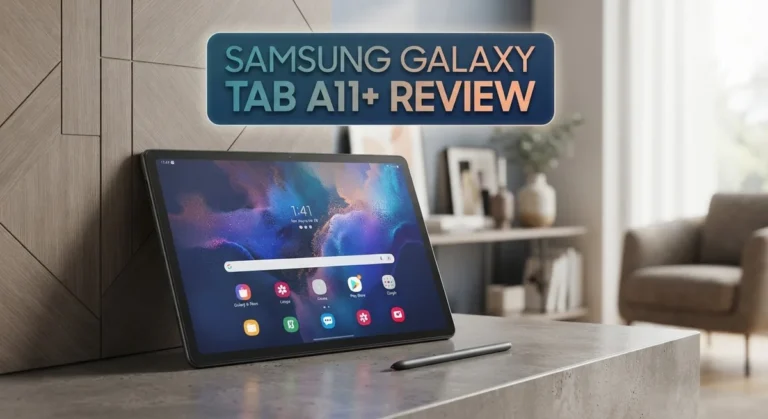
Compared to the Tab A11+, this smaller sibling trades some power for extra portability. The Xiaomi Redmi Pad 2 offers similar specs, but Samsung’s software ecosystem gives this tablet an edge. If you already use Samsung devices, this tablet fits right into your setup.
The iPad Mini remains a strong alternative for those deep in Apple’s ecosystem. However, switching platforms just for a tablet rarely makes sense. Stick with what works for your other devices.
This tablet works best as a secondary device rather than a primary computer. Think streaming shows, browsing social media, or reading books. It handles these tasks smoothly and reliably.
Build quality feels solid for its class. The tablet doesn’t feel cheap or flimsy in daily use. Samsung clearly put thought into the overall user experience.
Should you buy the Galaxy Tab A11? The answer depends on your specific needs. If you want a reliable secondary tablet with modern software, this device delivers.
Skip it if you need professional-grade cameras or lightning-fast charging speeds. Those specific needs point you toward other options in the market.
For everyone else, the Galaxy Tab A11 represents smart engineering. Samsung packed useful features into a compact package that just works.
This tablet earns its place among solid tablet choices this year. It won’t win every technical comparison, but it delivers where it matters most: daily usability and long-term reliability.
Consider your usage patterns carefully before deciding. If casual entertainment and everyday tasks describe your needs, this tablet deserves serious consideration.
Frequently Asked Questions
Does the Galaxy Tab A11 support a stylus or pen?
No, the Galaxy Tab A11 does not come with stylus support. This tablet focuses on everyday tasks like browsing, streaming, and light gaming. If you need pen input for drawing or note-taking, consider the Tab A11+ instead, which offers S Pen compatibility.
How long does the battery last on daily use?
The 5100 mAh battery typically lasts a full day with moderate use. Streaming videos, browsing the web, and casual gaming drain the battery faster. Light users may stretch it to 1.5 days. The 90Hz display does consume more power than standard 60Hz screens, so expect shorter battery life during heavy gaming sessions.
Can I expand the storage if I run out of space?
Yes, the Galaxy Tab A11 includes expandable storage via microSD card. You can add extra space without replacing the device. This is a major advantage if you plan to store photos, videos, or apps. Just check your tablet’s maximum supported card size before purchasing.
Is the Galaxy Tab A11 good for video streaming and movies?
Absolutely. The 8.7 inch WXGA+ display with 90Hz refresh rate makes watching content smooth and enjoyable. The screen size feels comfortable for extended viewing without being too large to hold. Speakers deliver decent audio, though external speakers improve the experience further.
How does this tablet compare to the iPad Mini?
The iPad Mini runs Apple’s ecosystem and offers more power for professional tasks. The Galaxy Tab A11 runs Android 15 and focuses on everyday entertainment and browsing. Choose the iPad Mini if you use Apple services heavily. Pick the Tab A11 if you prefer Android and want a lighter, more portable device.

Hi, I’m Juli! I’m a tech enthusiast with a passion for discovering and testing the latest gadgets and AI innovations. I created GearGaze to share honest, practical insights that help you make smarter tech decisions.