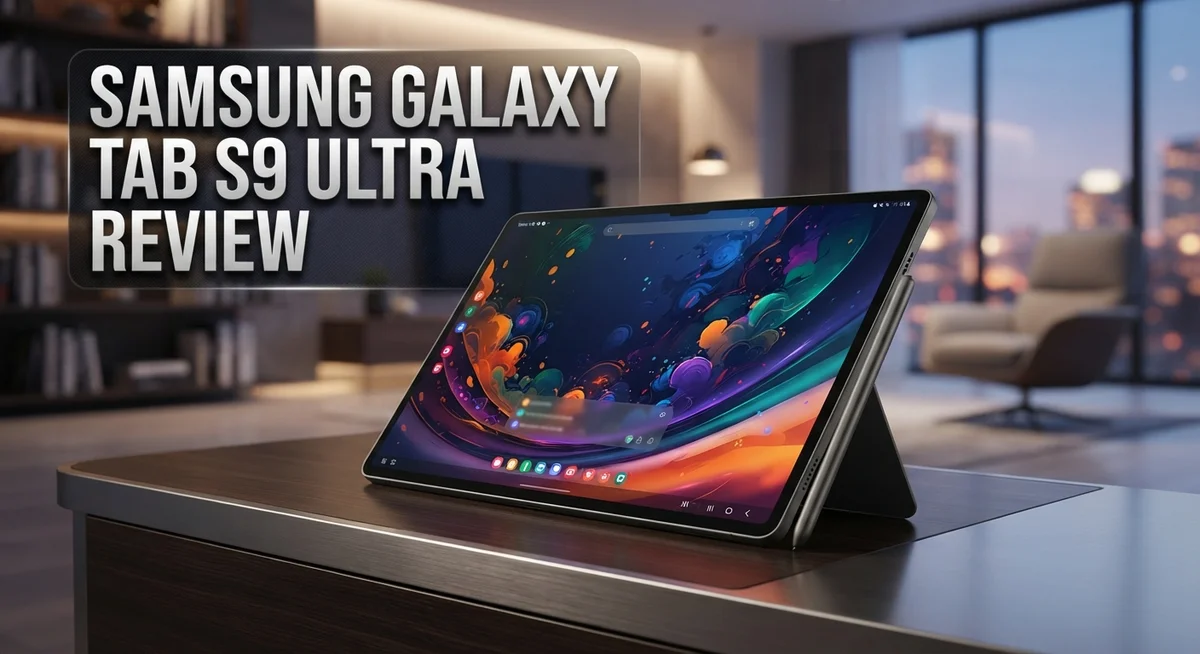
Samsung Galaxy Tab S9 Ultra Review: Features, Performance & Specs
The Samsung Galaxy Tab S9 Ultra is one of the most powerful Android tablets ever made. It brings a massive 14.6-inch Dynamic AMOLED 2X display, a blazing-fast Snapdragon 8 Gen 2 chip, and an included S Pen to the table. This is a device built for people who want a serious productivity and entertainment machine.
Whether you are a creative professional, a student, or just someone who loves a big, beautiful screen, this tablet has a lot to offer. It handles multitasking, drawing, streaming, and gaming with ease.
But is it the right choice for you? That is exactly what this review answers.
We cover everything from display quality and performance to battery life, build quality, and how it stacks up against top competitors. You will get a clear, honest look at what makes this tablet shine and where it falls short.
By the end, you will know if the Galaxy Tab S9 Ultra deserves a spot in your daily life. Let’s get into it.
In a Nutshell
Here is a quick snapshot of what the Samsung Galaxy Tab S9 Ultra brings to the table:
-
The 14.6-inch Dynamic AMOLED 2X display is stunning, with rich colors, deep blacks, and sharp detail that makes everything look incredible.
-
The Snapdragon 8 Gen 2 chipset delivers fast, smooth performance across multitasking, gaming, and creative work with zero lag.
-
Battery life is genuinely impressive, with the 11,200 mAh cell easily lasting through full days of heavy use.
-
The S Pen is included in the box, making it a great pick for note-takers, artists, and anyone who loves handwriting on screen.
-
Build quality is premium and solid, yet the tablet remains surprisingly thin and lightweight given its large size.
-
The quad speaker system produces loud, clear audio that genuinely rivals a small Bluetooth speaker.
Bottom line: This is a powerhouse tablet built for people who want the best Android experience available. Just be ready for a large footprint in your bag.
Display and Design
The display on this tablet is simply phenomenal. The 14.6 inch Dynamic AMOLED 2X screen delivers colors that pop off the surface with incredible vibrancy. Blacks are deep and true, which matters a lot when you watch movies or edit photos.
What makes this screen special is the brightness level. You can comfortably use this tablet outdoors without struggling to see the content. The refresh rate keeps scrolling buttery smooth, whether you are browsing social media or playing games.
The resolution gives you sharp text and crisp images. Everything from reading documents to viewing high resolution photos looks fantastic. The aspect ratio works well for both portrait and landscape viewing modes.
Design wise, Samsung nailed it here. The tablet feels premium in your hands. The build quality is solid and durable, yet Samsung managed to keep it thin and light for a device this large.
The bezels are slim, which maximizes screen real estate. This means more room for content and less wasted space around the edges. The back has a matte finish that resists fingerprints effectively.
The tablet sits nicely in landscape mode for watching content. The speakers are positioned well on the sides, so your hands do not block the sound. The overall aesthetic is modern and clean without feeling boring.
One thing to note is the size itself. At 14.6 inches, this is a genuinely large tablet. Some people love the expansive screen for work and media. Others might find it less portable than smaller devices.
The S Pen integrates seamlessly into the design. It slots into the tablet without adding bulk. The stylus feels responsive and natural for drawing or note taking.
The water resistant rating adds peace of mind. You can use this tablet near water without constant worry. Samsung included enough protection for everyday splashes and accidents.
The combination of display excellence and thoughtful design makes this tablet stand out. You get a screen that rivals desktop monitors in quality, paired with a chassis that feels expensive and well made.

- Combined Processor Core: Octa-core
- Processor Speed: 2.99 GHz
Last update on 2026-08-19 / Affiliate links / Images from Amazon Product Advertising API
Performance and Processing Power
The Snapdragon 8 Gen 2 chipset sits at the heart of this tablet. This processor ranks among the fastest mobile chips available today. You get real speed when you open apps, switch between tasks, or load heavy files.
Multitasking feels effortless here. The Tab S9 Ultra handles ten open apps without stuttering. You can edit videos in one window while browsing the web in another. The processor keeps everything running smooth without lag or delays.
Gaming performance is exceptional. Modern games run at high frame rates with no drops. The graphics stay crisp and detailed even during intense scenes. This tablet crushes demanding games that would slow down weaker devices.
Creative professionals will appreciate the raw power. Photo editing apps like Lightroom and Photoshop run without hiccups. Video rendering happens faster than on many laptops. The chip keeps up with professional workflows that require serious processing muscle.
The 11,200 mAh battery pairs perfectly with this chipset. You get multiple days of regular use on a single charge. Heavy users can push through a full day without hunting for an outlet. The battery management keeps the tablet cool even during intense tasks.
RAM options go up to 12GB on higher models. This means apps stay in memory longer. You rarely need to reload something you used an hour ago. The combination of RAM and processor creates a responsive experience.
Real world testing shows consistent performance. Apps launch instantly. File transfers happen quickly. Streaming 4K video plays without buffering. The tablet handles whatever you throw at it without breaking a sweat.
One thing stands out: this processor is future-proof. New apps and games will run smoothly for years. You won’t feel the need to upgrade soon. The power here goes beyond current needs and prepares you for tomorrow’s software.
The performance on this tablet simply delivers. Whether you’re a power user or casual browser, the Snapdragon 8 Gen 2 ensures everything runs at top speed.
Battery Life and Charging
The 11,200 mAh battery in the Galaxy Tab S9 Ultra handles serious workloads without flinching. You get genuine multi-day battery life, even when you push the tablet hard with streaming, gaming, and productivity apps running simultaneously.
Real world usage shows the battery easily powers through a full day of heavy use. Light users can stretch it to two days comfortably. The large screen and powerful processor work efficiently together, so battery drain stays reasonable despite the tablet’s premium specs.
Charging speed matters, and Samsung includes a fast charger in the box. The tablet supports rapid charging that gets you back to full capacity in a reasonable timeframe. This means less downtime between work sessions or travel days.
The battery management system runs smoothly in the background. Android handles power distribution intelligently across apps and processes. You won’t notice random drain or unexpected shutdowns during normal use.
One thing to note: intensive gaming or video editing will consume battery faster than casual browsing. This is normal behavior for any powerful tablet. Heavy workloads naturally demand more energy, but the 11,200 mAh capacity still provides impressive longevity compared to competitors.
Battery settings give you control over how the tablet performs and consumes power. You can enable battery saver mode for extended sessions or keep everything at full performance. The choice sits in your hands based on what you’re doing.
Heat management stays solid during charging and heavy use. The tablet doesn’t get uncomfortably warm, which helps preserve battery health over time. Proper thermal design means your battery stays healthy for years of regular use.
The combination of a large capacity cell and efficient hardware makes the Galaxy Tab S9 Ultra reliable for professionals and creators. Whether you’re editing documents all day or streaming content, the battery keeps up with your demands. You’ll spend more time using the tablet and less time hunting for a charger, which is exactly what you want from a premium device.
Top 3 Alternatives
Apple iPad Pro

- WHY IPAD PRO — iPad Pro with the Apple M5 chip delivers extraordinary performance for effortless...
- PERFORMANCE AND STORAGE — iPad Pro with M5 brings next-generation speed and the power of on-device...

Last update on 2026-08-19 / Affiliate links / Images from Amazon Product Advertising API
The Apple iPad Pro stands out as a premium alternative. It features a stunning display with exceptional color accuracy. The M2 chip delivers powerful performance for demanding apps and creative work.
The iPad Pro excels at multitasking and video editing. You get smooth performance whether you’re working with photos or running complex applications. The display quality makes it ideal for content creators and professionals.
Battery life runs strong throughout your workday. The ecosystem connects seamlessly with your other Apple devices. You’ll find the stylus support excellent for note-taking and digital art.
Microsoft Surface Pro

- [This is a Copilot+ PC] — The fastest, most intelligent Windows PC ever, with built-in AI tools...
- [The Power of a Laptop, the Flexibility of a Tablet] — Surface Pro 12” is a 2-in-1 device that...
Last update on 2026-08-19 / Affiliate links / Images from Amazon Product Advertising API
The Microsoft Surface Pro offers a different approach to productivity. It runs full Windows, giving you access to desktop applications you already know. The kickstand design lets you work comfortably in various positions.
This device bridges the gap between tablet and laptop. You can attach a keyboard cover for traditional typing. The touchscreen responds quickly to your input and stylus commands.
Processing power handles spreadsheets, presentations, and photo editing without lag. The display sharpness works well for reading documents and watching videos. You’ll appreciate the versatility of having a real operating system on a tablet.
Lenovo Tab P12

- A VIBRANT, SLIMMER BUILD FOR SHARPER MINDS – Engage in AI-powered smart learning on the stylish...
- CARRY LIGHT, FEEL BRIGHT – Weighing just over a pound, the Idea Tab Plus is light enough to carry...
Last update on 2026-08-19 / Affiliate links / Images from Amazon Product Advertising API
The Lenovo Tab P12 provides solid performance at a different value point. It features a large 12-inch display perfect for media consumption and productivity tasks. The MediaTek processor handles everyday apps smoothly.
This tablet works great for reading, browsing, and entertainment. The screen brightness adjusts well in different lighting conditions. You get decent speaker quality for watching shows and listening to music.
The device supports stylus input for note-taking and sketching. Battery endurance keeps you working through extended sessions. The design feels comfortable to hold during longer use periods.
Audio and Multimedia Experience
The quad speaker system on this tablet delivers an impressive audio experience. You get four speakers positioned around the device, which creates a genuinely immersive soundscape when watching movies or playing games. The speakers produce clear dialogue and punchy bass without distortion, even at maximum volume.
Sound quality remains consistent whether you hold the tablet in portrait or landscape mode. This is important because many tablets suffer from muffled audio when you grip them. Samsung engineered the speaker placement to avoid this common problem.
Music streaming sounds fantastic on this device. Apps like Spotify and Apple Music shine thanks to the balanced audio output. The speakers handle both treble and bass frequencies well, so you won’t feel like something is missing from your favorite songs.
Video content takes on new life with this audio setup. Whether you’re watching Netflix, YouTube, or streaming sports, the sound feels rich and engaging. You’ll notice dialogue pops out clearly, and action sequences have real impact.
Gaming audio deserves special mention here. The speaker system creates directional sound, so you can hear where enemies approach from in competitive games. This gives you an actual advantage in certain titles, not just entertainment value.
The tablet supports various audio formats and codecs. Dolby Atmos compatibility means supported content plays with enhanced spatial audio. This adds depth to your listening experience beyond standard stereo output.
One thing to note: the speakers perform well without needing external audio equipment. Many users find they skip buying a Bluetooth speaker for casual listening because the built in audio suffices. However, serious audiophiles might still prefer headphones or external speakers for critical listening.
The S Pen also connects to the audio experience. You can use gesture controls to adjust volume and playback, adding convenience to your multimedia sessions. This integration makes the overall experience feel polished and thoughtful.
Overall, the multimedia capabilities here punch well above typical tablet standards. The combination of that stunning AMOLED display paired with quality speakers creates an entertainment powerhouse that handles everything from streaming to gaming with confidence.
S Pen Integration and Productivity
The S Pen transforms how you work on this tablet. Samsung includes it in the box, so you get a premium stylus right away. The pen feels natural in your hand and responds instantly to your touch.
Writing and note taking feel smooth here. The display registers your pen strokes with zero lag. You can jot down ideas quickly without waiting for the screen to catch up. This matters when you’re capturing thoughts in real time.
Drawing becomes a joy with this stylus. Artists and designers will notice the pressure sensitivity and tilt recognition. The pen picks up subtle hand movements. Shading and line weight variations happen naturally. Your creative vision translates directly onto the screen.
The S Pen unlocks productivity apps that work best with a stylus. Samsung Notes lets you organize handwritten notes into folders. You can search through handwritten text, which saves time when you need to find something specific. The app syncs across your Samsung devices too.
Productivity software runs beautifully on the 14.6 inch display. You have room to work with multiple windows open at once. The large screen means less scrolling and more visible content. Split screen mode lets you reference documents side by side while you work.
Microsoft Office apps perform well here. Word, Excel, and PowerPoint all benefit from the extra screen space. The S Pen works in these apps for annotations and markup. You can review documents and add comments without switching tools.
Annotation tools shine on this tablet. PDFs become interactive when you use the stylus. You can mark up contracts, review designs, or edit images directly. The pen pressure sensitivity ensures your annotations look professional.
The combination of the powerful Snapdragon 8 Gen 2 chipset and the responsive S Pen creates a genuinely productive device. Apps launch instantly and respond to your pen input without hesitation. Whether you’re taking notes, sketching designs, or editing documents, the experience feels fluid and natural.
This tablet bridges the gap between a notebook and a computer. The S Pen makes it feel like writing on paper, while the hardware delivers computer level performance. For professionals who need both, this integration works exceptionally well.
Pros and Cons
The Galaxy Tab S9 Ultra shines in several key areas that make it stand out in the tablet market. The 14.6 inch Dynamic AMOLED 2X display delivers stunning visuals with vibrant colors and deep blacks. This screen makes watching movies and editing photos a genuine pleasure.
Performance is another major strength. The Snapdragon 8 Gen 2 chipset handles everything you throw at it without slowing down. Apps launch instantly, and multitasking feels effortless even with many windows open at once.
The build quality feels premium throughout. Samsung uses high quality materials that inspire confidence. The tablet remains thin and light despite its large size, which helps with handling and portability.
Battery life deserves special mention here. The 11,200 mAh battery powers through extended use on a single charge. You get genuine all day performance without constantly hunting for an outlet.
The water resistant design adds practical durability. This feature protects your investment during accidents and everyday mishaps. You can use it near pools or in light rain without worry.
However, the Galaxy Tab S9 Ultra does have some limitations worth considering. The large form factor presents a real challenge for portability. This tablet won’t slip easily into a standard bag or backpack like smaller devices do.
The size also affects one handed use. Holding and operating this screen for extended periods requires strength and endurance. Some users find it tiring to use standing up or while traveling.
The weight, while reasonable for the screen size, still adds up over time. Carrying it daily becomes noticeable compared to lightweight alternatives.
Additionally, the sheer scale means this tablet occupies significant desk or lap space. If you work in tight quarters or travel frequently, the dimensions become a real drawback.
The Galaxy Tab S9 Ultra excels when you prioritize display quality, performance, and battery life. It struggles if portability matters most to your workflow. Consider how you’ll actually use this device before committing. Your specific needs should guide whether the strengths outweigh the limitations for your situation.
Who Should Buy It
The Galaxy Tab S9 Ultra suits specific types of users best. If you create content professionally, this tablet deserves your attention. Video editors, graphic designers, and digital artists find the 14.6 inch OLED display exceptional for their work.
Creative professionals benefit from the S Pen’s precision and responsiveness. The stylus makes drawing, photo editing, and design work feel natural. Apps like Procreate and Adobe Fresco run smoothly on the Snapdragon 8 Gen 2 chipset.
Business users who need a laptop alternative will appreciate this tablet’s capabilities. The large screen accommodates spreadsheets, presentations, and documents without constant zooming. Microsoft Office apps perform reliably here. The S Pen lets you annotate PDFs and sign documents easily.
Students studying visual subjects gain real advantages. Architecture, engineering, and design students use this tablet for complex projects. The display quality helps you see fine details in technical drawings and blueprints.
Entertainment enthusiasts love the quad speaker system and vibrant OLED screen. Streaming movies, playing games, and reading comics feel immersive on this device. The multi day battery life means you can enjoy content for extended periods without charging.
Productivity focused professionals who work across multiple apps will find the 1TB storage and powerful processor invaluable. The tablet handles demanding multitasking without lag or stuttering.
However, this tablet isn’t ideal for everyone. If you prefer compact, portable devices, the large form factor may feel unwieldy. The 14.6 inch screen requires more bag space than typical tablets.
Casual users who mainly browse the web, check email, and use social media might find this tablet oversized for their needs. Smaller tablets deliver the same functions in a more convenient package.
Budget conscious buyers should consider alternatives. This tablet demands commitment from users who value premium features and performance above all else.
The Galaxy Tab S9 Ultra works best for people who spend significant time on their device daily. If your work or hobbies demand screen real estate, processing power, and exceptional display quality, this tablet justifies its position in your tech collection.
Final Verdict
The Samsung Galaxy Tab S9 Ultra is one of the most capable Android tablets available today. It delivers on nearly every front that matters to serious users.
Display quality is genuinely hard to beat at this size. The 14.6-inch Dynamic AMOLED 2X panel produces rich colors and deep blacks that make everything look stunning.
The Snapdragon 8 Gen 2 keeps everything running fast and smooth. Apps open instantly, multitasking stays fluid, and demanding tasks never cause slowdowns.
Battery life is a genuine strength here. The 11,200 mAh cell supports multi-day use without needing a top-up every few hours.
Build quality feels solid and refined throughout. The water-resistant design means you get a device that handles real-world conditions without worry.
The quad speaker system adds serious value for media consumption. Sound is loud, clear, and well-balanced across all four drivers.
The S Pen experience elevates this tablet beyond what most competitors offer. It comes included, which makes the package feel complete right out of the box.
Up to 1TB of storage means you rarely need to think about running out of space. That freedom matters when you work with large files or offline media libraries.
However, this tablet is not the right fit for everyone. The large form factor makes it less comfortable to carry casually compared to smaller alternatives.
One-handed use is difficult given the sheer screen size. Users who prefer lighter, more compact devices may find daily handling tiring over time.
The Samsung Galaxy Tab S9 Ultra competes directly with the iPad Pro and stands confidently as a premium Android option. For users who want a desktop-class experience in tablet form, it delivers impressively.
If you need raw performance, a stunning display, long battery life, and a reliable stylus in one package, this tablet checks every box. It is a powerhouse device built for those who demand the best from their Android tablet experience.
Frequently Asked Questions
Does the Galaxy Tab S9 Ultra work well for gaming?
Yes, this tablet excels at gaming. The Snapdragon 8 Gen 2 chipset handles demanding games without lag or stuttering. The 14.6″ OLED display makes games look stunning with vibrant colors and deep blacks.
The quad speaker system adds immersion. You get loud, clear audio without needing external speakers. The large screen also gives you more room to control games comfortably.
Can I use the S Pen for note taking and drawing?
Absolutely. The S Pen comes included with this tablet. It offers precision and responsiveness that creative professionals rely on.
For note taking, the pen feels natural and responsive. Handwriting recognition works smoothly. For digital art, the pressure sensitivity captures fine details. Many apps support the S Pen, so you have plenty of options.
How long does the battery last?
The 11,200 mAh battery delivers multi-day battery life on a single charge. Real world usage varies based on screen brightness and app demands.
Video streaming and light tasks push battery life further. Gaming and heavy productivity work drain it faster. Most users find they charge every 2-3 days with regular use.
Is this tablet good for watching movies and streaming?
Yes, it’s fantastic for media. The Dynamic AMOLED 2X display produces gorgeous colors and contrast. The quad speaker system delivers immersive audio.
Streaming apps run smoothly thanks to the powerful processor. You can watch for hours without performance drops. The large screen makes movies feel cinematic without needing a TV.
Does it work with keyboards and cases?
Yes, Samsung offers official keyboard covers and cases. Third party options are widely available too.
The tablet pairs easily with Bluetooth keyboards. Many cases include kickstands for comfortable typing or viewing angles. This setup works well for productivity tasks and content creation.

Hi, I’m Juli! I’m a tech enthusiast with a passion for discovering and testing the latest gadgets and AI innovations. I created GearGaze to share honest, practical insights that help you make smarter tech decisions.