Pixi Beam Projector Review: Worth The Investment?
Are you tired of being stuck with a small TV screen? Do you want to create a cozy reading corner or turn any wall into your personal cinema? The Pixi Beam projector might be exactly what you need.
This compact device promises to deliver big screen entertainment without breaking the bank. But does it really live up to the hype?
In this detailed review, we will explore everything about the Pixi Beam projector. You will learn about its features, performance, and whether it deserves a spot in your home.
Key Takeaways
- Display Quality: The Pixi Beam offers native 720p HD resolution with support for 1080p and 4K content. The projector can display images from 30 inches up to 120 inches, giving you flexibility for different room sizes. The brightness level stands at approximately 150 ANSI lumens, which works best in darker environments.
- Connectivity Features: This projector comes equipped with WiFi 6 and Bluetooth 5.4 technology. You can easily connect your smartphone, tablet, or laptop without any cables. The wireless connection makes streaming from Netflix, YouTube, and other platforms incredibly simple.
- Portability Design: Weighing just under 2 pounds, the Pixi Beam is truly portable. The compact size fits in your backpack or purse. The built-in rechargeable battery provides about 2 to 3 hours of viewing time, perfect for a movie or several reading sessions.
- Smart Features: The device includes automatic keystone correction and a 180 degree rotatable stand. These features help you adjust the image quickly without manual tweaking. The built-in speakers deliver decent sound quality, though external speakers enhance the experience.
- Price Value: The Pixi Beam typically costs between $50 to $70 on Amazon. This makes it one of the most affordable portable projectors available. The price point attracts budget conscious buyers looking for basic projection capabilities.
What Makes the Pixi Beam Projector Stand Out
The Pixi Beam projector has carved out a unique position in the crowded mini projector market. This device focuses on simplicity and convenience rather than competing with high end cinema projectors. The company originally marketed it toward readers who wanted to project book scenes and ambient visuals. However, users quickly discovered its versatility extends far beyond reading enhancement.
The projector’s standout feature is its exceptional portability. Unlike bulky traditional projectors, you can grab the Pixi Beam and move it from room to room effortlessly. The lightweight design means you can take it to a friend’s house, use it outdoors, or pack it for vacation. This flexibility appeals to people who value mobility over raw power.
Another distinguishing factor is the user friendly setup process. You simply plug it in or use the battery, connect via WiFi, and start projecting within minutes. No complicated installation or mounting required. The automatic focus and keystone correction handle most adjustments automatically, saving you time and frustration.
The aesthetic appeal also deserves mention. The Pixi Beam features a modern, minimalist design that looks good in any room. The white finish blends seamlessly with contemporary decor, and the compact form factor takes up minimal space when not in use.
Pixi Beam Projector Design and Build Quality

- 【Immersive Visuals & Sound for Home Enjoyment】Transform your space with the Pixi Beam Projector,...
- 【Portable Design & Flexible 180° Placement】With its compact build and 180-degree rotating...
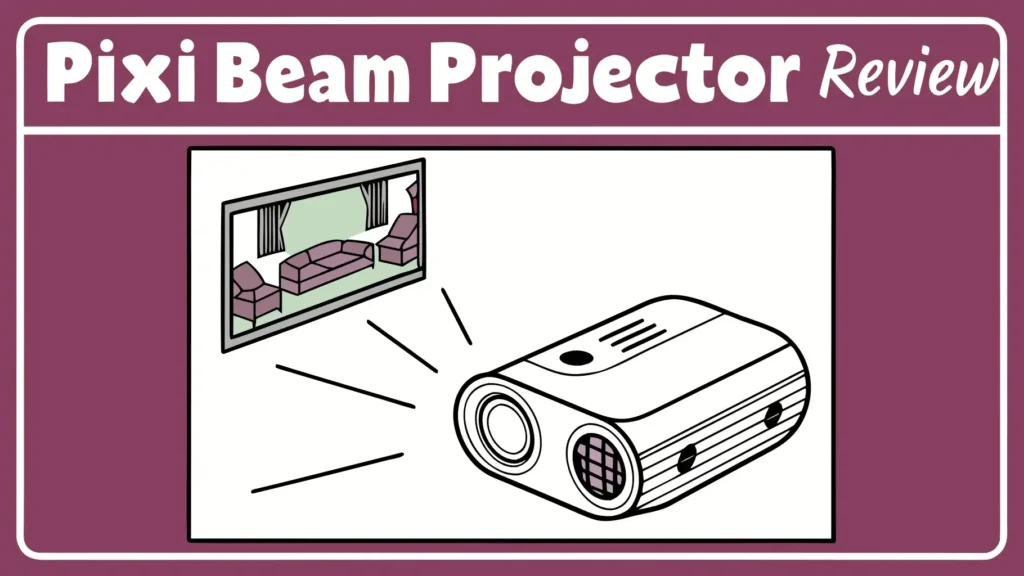
When you first unbox the Pixi Beam projector, you immediately notice its compact and lightweight construction. The device measures approximately 4 inches in height and width, making it one of the smallest projectors available. The weight hovers around 1.5 to 2 pounds, light enough for a child to carry comfortably.
The build quality feels decent for the price point. The plastic housing seems durable enough to withstand regular use, though it lacks the premium feel of more expensive models. The white exterior attracts fingerprints and smudges easily, so you might want to wipe it down occasionally. The overall construction feels solid without any creaking or loose parts.
The 180 degree rotatable stand is genuinely useful. This feature lets you angle the projector upward to hit your ceiling or downward for tabletop projection. The stand moves smoothly and holds its position well, though you need to be gentle to avoid wearing out the mechanism. This flexibility opens up creative placement options throughout your space.
The front lens is protected by a small cover that you manually remove before use. This protection prevents scratches and dust accumulation during storage or transport. The ventilation grilles on the sides ensure proper cooling, and the fan noise remains relatively quiet during operation. You can hear it in a silent room, but it fades into the background once you start playing audio.
The button controls on top are minimal and intuitive. You get power, volume, and menu buttons that are easy to press without looking. The remote control feels lightweight and basic, but it gets the job done. Some users report the remote range could be better, working best within 10 to 15 feet of the projector.
Display Performance and Image Quality
The Pixi Beam projector delivers native 720p HD resolution, which translates to 1280 x 720 pixels. This resolution provides acceptable sharpness for casual viewing, though it cannot match 1080p or 4K projectors. The device supports higher resolution input, but it downscales everything to 720p for display. Text remains readable at smaller screen sizes, but larger projections show pixelation.
Brightness is the Achilles heel of most budget mini projectors, and the Pixi Beam is no exception. With approximately 150 ANSI lumens, this projector requires dim lighting or complete darkness for optimal viewing. In a fully dark room, the image looks vibrant and colorful. However, any ambient light washes out the picture significantly. You cannot use this projector effectively in daylight or bright rooms.
The color reproduction impresses for the price range. Colors appear fairly accurate without excessive saturation or dullness. Skin tones look natural in movies, and animated content pops nicely. The contrast ratio is modest, so you lose detail in very dark or very bright scenes. Black levels appear more gray than true black, common in LED projectors at this price point.
The projection size ranges from 30 inches to 120 inches, depending on distance from the wall or screen. The sweet spot sits around 60 to 80 inches, where image quality balances brightness and clarity. Going larger than 100 inches results in a dimmer, softer image that loses appeal. The throw ratio means you need roughly 6 to 8 feet of distance for a 60 inch image.
Focus quality varies across the projection area. The center remains sharp, but the edges can appear slightly soft. This is typical for inexpensive projectors with simple lens systems. The automatic focus usually gets you 80 percent of the way there, but manual adjustment might be needed for perfect sharpness. The electronic focus system works adequately, though it hunts occasionally before locking on.
Top 3 Alternatives for Pixi Beam Projector
While the Pixi Beam offers great value, you might want to consider these alternatives that provide different features and performance levels:

- Super-Sized Screen, Portable Design: Capsule 3 is an all-new ultra-portable Google TV projector...
- Take the Big Screen Anywhere: With a max screen size of 120 inches, Capsule 3 delivers a...
The Anker Nebula Capsule 3 represents a significant step up in quality and features. This portable projector delivers 300 ANSI lumens, double the brightness of the Pixi Beam. You get true 1080p resolution and Google TV built in with official Netflix licensing. The battery lasts 2.5 hours, similar to the Pixi Beam. The Dolby Digital audio sounds noticeably better than budget options. However, you pay around $360, making it considerably more expensive. This projector suits users who want premium performance in a portable package.

- Stream Google TV and Netflix Favorites: Watch the hottest new shows and blockbuster hits right from...
- Stunning Imagery in Any Setting: Experience vibrant, TV-quality visuals anywhere. Featuring 450 ISO...
The XGIMI MoGo 3 Pro brings 450 ISO lumens to the table, making it usable even in moderately lit rooms. This projector includes Google TV and licensed Netflix streaming. The built-in adjustable stand offers more positioning flexibility than the Pixi Beam. The Harman Kardon speakers deliver rich, room filling sound. The device supports power banks for truly portable operation. At $379, it costs more but offers professional level features. This option appeals to serious movie watchers who refuse to compromise on quality.
![Mini Portable Projector 4K WiFi 6 BT 5.2 Upgraded Portable Projector Full HD Supported for Phone /PC /TV /HDMI /PS5 /Laptop Auto Keystone Home Theater 180° Rotation [Built-in App] White](https://geargaze.blog/wp-content/plugins/aawp/public/image.php?url=YUhSMGNITTZMeTl0TG0xbFpHbGhMV0Z0WVhwdmJpNWpiMjB2YVcxaFoyVnpMMGt2TkRGQ1JVNXZTalo2Y0V3dWFuQm58MTc3NDM4MzkyNg=)
- 1. Direct projection from iPhone/Android brings exceptional visual quality: This portable mini...
- 2. 180° Rotation for Maximum Installation Flexibility:Thanks to its 180° rotation feature, this...
The Generic Mini Portable Projector with WiFi 6 provides similar features to the Pixi Beam at comparable pricing. This Amazon’s Choice product offers 4K support and 720p native resolution. The WiFi 6 and Bluetooth 5.2 connectivity matches modern standards. The 180 degree rotation and auto keystone correction mirror the Pixi Beam’s capabilities. Priced around $50, it represents direct competition. This alternative works well if you want backup options or cannot find the Pixi Beam in stock.
Connectivity Options and Smart Features
The Pixi Beam projector excels in the connectivity department for its price range. The built-in WiFi 6 support ensures fast and stable wireless connections. You can stream content directly from your phone, tablet, or computer without lag. The connection process takes just a few taps on your device, making it accessible even for tech novices.
Bluetooth 5.4 connectivity allows you to pair wireless speakers or headphones easily. This feature significantly enhances audio quality compared to the built-in speakers. You can also connect Bluetooth keyboards or game controllers for interactive use. The Bluetooth range extends about 30 feet, providing flexibility in speaker placement.
The projector includes multiple input options despite its small size. You get an HDMI port for connecting laptops, gaming consoles, or streaming devices. A USB port allows direct playback from flash drives loaded with movies or photos. Some models include a microSD card slot for additional storage options. These physical connections provide reliability when wireless streaming is not available.
Screen mirroring works seamlessly with both iOS and Android devices. iPhone users can use AirPlay to project content wirelessly. Android users have multiple options including Miracast and direct WiFi connection. The setup process requires installing a companion app or using built-in screen mirroring features. Once connected, you can display anything from your phone screen.
The smart features include automatic keystone correction, which straightens trapezoidal distortion caused by angled projection. This technology works reasonably well, though manual adjustment sometimes produces better results. The projector remembers your settings between uses, saving setup time. Some users report the keystone correction can crop the image slightly, reducing the effective screen size.
Audio Quality and Speaker Performance
The Pixi Beam projector includes a built-in speaker rated at approximately 3 watts. This modest power output delivers sufficient volume for personal viewing or small room use. The speaker clarity is acceptable for dialogue and casual music listening. However, action scenes and bass heavy content reveal the limitations of the small driver.
Sound quality characteristics include clear mid range frequencies where most dialogue resides. Voices come through without excessive muddiness or distortion at moderate volumes. The high frequencies lack sparkle and detail, making music sound somewhat flat. Bass response is virtually nonexistent, as expected from such a small speaker. Explosions and deep musical notes lose their impact completely.
The maximum volume reaches comfortable levels for rooms up to about 200 square feet. In larger spaces, you struggle to hear over background noise or conversations. Pushing the volume to maximum introduces some distortion and harshness. The sweet spot sits around 70 to 80 percent of maximum volume, where clarity and loudness balance well.
For improved audio experience, connecting external speakers is highly recommended. Bluetooth speakers provide the easiest solution, pairing quickly and delivering dramatically better sound. Soundbars create a more cinematic experience for movie watching. Even inexpensive computer speakers connected via the headphone jack surpass the built-in option. The projector supports audio output while simultaneously using internal speakers or switching completely to external audio.
The speaker placement on the device affects sound projection. Located on the front or bottom, the speaker fires toward the wall you are projecting on. This positioning can muffle the sound depending on your setup. Placing the projector on a hard surface helps reflect sound toward the viewing area. Soft surfaces like beds or cushions absorb sound and reduce volume noticeably.
Battery Life and Power Management
The Pixi Beam projector features a rechargeable lithium battery built into the chassis. Battery capacity typically ranges from 3000 to 5000 mAh depending on the specific model. This capacity translates to approximately 2 to 3 hours of continuous viewing on a full charge. The runtime decreases if you use maximum brightness and volume settings.
Charging time takes about 2 to 3 hours using the included power adapter. The projector uses a USB-C charging port, which is convenient since you might already own compatible chargers. You can use portable power banks to extend runtime, useful for outdoor viewing or situations without wall outlets. The charging indicator light shows red while charging and turns green when fully charged.
The battery performance degrades slightly in brightness mode or when using WiFi and Bluetooth simultaneously. Playing content from a USB drive instead of streaming conserves battery power. The projector includes basic power management features like automatic shutdown after inactivity. You can adjust sleep timer settings to conserve battery when you forget to turn off the device.
Operating while plugged in is possible and recommended for extended viewing sessions. The battery charges while in use, though slower than when the device is off. Some users report the projector runs slightly cooler when powered directly from the outlet. Battery health typically remains good for 300 to 500 charge cycles before noticeable capacity loss occurs.
The power consumption sits around 20 to 30 watts during normal operation. This efficiency makes it suitable for camping trips with portable power stations. The low power draw also means minimal impact on your electricity bill. In standby mode, power consumption drops to less than 1 watt, making it safe to leave plugged in.
Setup Process and Ease of Use
Setting up the Pixi Beam projector takes less than 10 minutes even for first time users. The included quick start guide walks you through basic steps clearly. You start by fully charging the device or plugging it into power. Then you position the projector at your desired distance from the projection surface. The built-in stand allows angle adjustments for optimal placement.
Powering on the device initiates an automatic focus and keystone correction sequence. This process takes about 10 to 20 seconds as the projector analyzes the projection surface. The results usually get you close to a perfect rectangle, though some manual tweaking improves the final image. The on-screen menu system uses simple icons and English text, easy to navigate with the remote or built-in buttons.
Connecting to WiFi follows standard procedures similar to smartphones. You select your network from the available list and enter your password using an on-screen keyboard. The connection establishes within seconds, and the projector remembers your network for future use. Screen mirroring setup varies by device but generally involves selecting the projector from your phone’s casting options.
The learning curve is minimal thanks to intuitive controls and logical menu organization. Most users can navigate all features within their first session. The remote control includes dedicated buttons for common functions like volume, input selection, and menu access. The response time is adequate, though not instant. You sometimes need to point directly at the projector for commands to register.
Adjusting settings for optimal performance involves balancing brightness, contrast, and color temperature. The projector offers several preset modes like Movie, Gaming, and Reading. These presets work reasonably well, though custom adjustments might better suit your preferences. The menu system allows you to tweak individual parameters, though the options are not as extensive as expensive projectors.
Best Use Cases for Pixi Beam Projector
The Pixi Beam projector shines brightest in bedroom environments where you can control lighting easily. Many users project onto their ceiling while lying in bed, creating a personal theater experience. This setup works wonderfully for watching shows before sleep or creating ambient visuals while reading. The compact size and quiet operation make it perfect for bedrooms where space is limited.
College students and renters find great value in the Pixi Beam’s portability and affordability. Dorm rooms typically lack space for large TVs, making a projector an excellent alternative. The ability to pack it up during breaks means you can take entertainment anywhere. The low investment reduces worry about theft or damage compared to expensive electronics.
Children’s entertainment represents another strong use case for this projector. Kids love the novelty of projected cartoons and movies on walls or ceilings. The device is lightweight enough for supervised use by older children. Educational content becomes more engaging when displayed large. Parents appreciate the built-in battery for road trips and outdoor family time.
Reading enthusiasts especially those on BookTok have embraced the Pixi Beam for creating immersive atmospheres. You can project related imagery, scenery, or mood lighting while reading. This feature enhances fantasy and adventure novels by bringing the story world to life visually. The low brightness actually benefits this use case, providing gentle ambient lighting rather than harsh illumination.
Casual movie nights with friends or partners work well with the Pixi Beam in dark rooms. The large projected image creates a shared viewing experience different from huddling around a small screen. The portability means you can host movie nights in different locations, whether backyards, basements, or living rooms. Just remember to manage expectations regarding brightness limitations.
Limitations and What Could Be Better
The brightness limitation stands as the most significant drawback of the Pixi Beam projector. At approximately 150 ANSI lumens, the device struggles in any environment with ambient light. You cannot use it during daytime without heavy curtains or blackout shades. Even evening use requires turning off most lights. This restriction limits spontaneous viewing and requires planning around lighting conditions.
Resolution at 720p feels dated in an era where 1080p and 4K have become standard. Text appears pixelated when projected large, making it unsuitable for presentations or detailed work. Gaming experiences suffer from the lower resolution, especially with modern high definition games. While acceptable for casual viewing, the resolution disappoints users accustomed to sharp displays.
The speaker quality barely meets minimum standards for solo viewing. Any group viewing situation requires external speakers to ensure everyone hears clearly. The lack of bass response removes emotional impact from movie soundtracks and music. Users essentially need to budget for Bluetooth speakers as a required accessory rather than an optional upgrade.
Build quality reflects the budget price point with lightweight plastic construction. The device does not feel particularly premium or durable. The rotatable stand mechanism seems vulnerable to wear with frequent adjustment. Some users report the lens cover feeling loose or falling off easily. These concerns raise questions about long term durability.
Remote control range and reliability receive consistent complaints in user reviews. The infrared remote requires direct line of sight and works best within 10 feet. The buttons sometimes need multiple presses to register commands. Some units ship with poorly functioning remotes that drain batteries quickly. A smartphone app for control would improve the user experience significantly.
Comparing Pixi Beam to Traditional TVs
The Pixi Beam projector and traditional TVs serve different purposes and offer distinct advantages. Screen size clearly favors the projector, as even a 60 inch projection dwarfs most affordable TVs. You can adjust projection size based on viewing distance and preferences. TVs come in fixed sizes, requiring expensive upgrades to go bigger. The projector provides cinematic scale at a fraction of TV costs.
Image quality decisively goes to TVs in most scenarios. Even budget TVs deliver brighter, sharper images with better color accuracy and contrast. TVs work in any lighting condition without compromise. The Pixi Beam requires darkness to look decent. TVs also offer superior resolution, with 4K becoming standard in mid-range models. The 720p projector cannot compete in pure image quality.
Portability heavily favors the Pixi Beam projector. You can move it between rooms effortlessly or pack it for travel. TVs require careful handling, secure mounting, or dedicated stands. Taking a TV anywhere other than its permanent home is impractical. The projector offers flexibility that TVs simply cannot match.
Space efficiency depends on your priorities. The projector takes minimal physical space when not in use, storing in a drawer or shelf easily. However, it requires wall space or a screen for projection. TVs need floor or wall mounting space permanently. Small apartments might prefer the projector’s compact footprint, while those with dedicated entertainment areas might choose TVs.
Cost comparison shows the Pixi Beam winning for large screen sizes. A 50 to 60 inch TV costs $300 to $500 for decent quality. The Pixi Beam projects 80 inches for under $70. However, TVs include no brightness limitations, better audio, and higher resolution. The total cost of ownership might favor TVs when you factor in projection screens and external speakers.
Real User Experiences and Feedback
User reviews for the Pixi Beam projector show mixed but generally positive sentiment. Many buyers express satisfaction with the value proposition, appreciating the large screen experience at a budget price. First time projector owners often feel amazed by the novelty and entertainment possibilities. The portability receives consistent praise from users who move the device frequently.
Common complaints center around brightness limitations and image quality. Users who did not research thoroughly feel disappointed when the projector performs poorly in lit rooms. Some reviews mention pixelation being more noticeable than expected. Gaming enthusiasts report input lag makes fast paced games frustrating. These issues rarely surprise informed buyers but catch casual purchasers off guard.
The customer service experience varies widely based on where you purchase. Amazon buyers generally report smooth return and refund processes if unsatisfied. Direct website purchases sometimes encounter slower response times. Warranty claims occasionally require persistence to resolve. Most users who contact support receive helpful responses eventually, though turnaround times fluctuate.
Long term reliability remains somewhat unclear due to the product’s relative newness. Early adopters report units still working fine after six to twelve months. Some users mention the rotatable stand becoming loose over time. Battery capacity degradation appears normal after heavy use. The lack of long term reviews means durability beyond one year is uncertain.
Social media buzz particularly on TikTok and BookTok drove significant interest in the Pixi Beam. Influencer reviews range from genuinely enthusiastic to possibly sponsored content. User generated content shows creative applications like ceiling projection during reading sessions. The aesthetic appeal and Instagram worthy setups contribute to the product’s viral success beyond its technical specifications.
Maintenance and Care Tips
Keeping your Pixi Beam projector in good condition requires minimal but consistent maintenance. The lens should be cleaned monthly using a microfiber cloth designed for optics. Avoid touching the lens with fingers, as oils and residues affect image quality. If the lens gets dirty, use lens cleaning solution designed for cameras or glasses. Never use household cleaners or abrasive materials.
Dust accumulation in ventilation grilles reduces cooling efficiency over time. Use compressed air to blow out dust from the vents every few months. Hold the can upright and spray in short bursts to avoid moisture buildup. This simple step prevents overheating and extends component lifespan. Keep the projector in a relatively dust free environment when possible.
The rechargeable battery maintains health longer with proper charging habits. Avoid letting the battery completely drain regularly, as deep discharges stress lithium batteries. Charge the device when it reaches 20 to 30 percent remaining. If storing the projector for extended periods, maintain charge around 50 percent. Fully charged or depleted storage accelerates capacity loss.
Firmware updates occasionally become available for smart features and bug fixes. Check the manufacturer’s website or app periodically for updates. Installing updates can improve performance, add features, or fix known issues. Follow update instructions carefully to avoid interruption during the process. Always ensure adequate battery charge or use wall power during updates.
Proper storage protects the device when not in use regularly. Keep it in a cool, dry place away from direct sunlight. Store in the original box or a padded case if transporting frequently. Avoid stacking heavy objects on top of the projector. The lens cover should always be in place during storage to prevent scratches.
Price Value Analysis and Budget Considerations
The Pixi Beam projector typically retails between $50 to $70 depending on sales and vendors. This price point positions it firmly in the budget category of portable projectors. The question of value depends entirely on your expectations and intended use. For casual entertainment in controlled lighting, the price seems reasonable. For serious home theater applications, it falls short.
Comparing to competitors at similar prices reveals minimal differences in specifications. Most budget mini projectors use similar components and offer comparable performance. The Pixi Beam’s advantage lies in marketing and brand recognition rather than superior technology. Generic alternatives often match or exceed features at identical prices. Shopping around can yield better deals on functionally equivalent devices.
Total cost of ownership extends beyond the initial purchase price. You will likely want to invest in a portable projection screen for optimal image quality. Basic screens cost $20 to $50 depending on size. External Bluetooth speakers add another $30 to $100 to the budget. A quality power bank for portable use costs $20 to $40. These accessories improve the experience significantly but increase total investment.
The value proposition strengthens considerably if you already own compatible accessories. Users with Bluetooth speakers and portable power banks only need the projector itself. Those setting up a complete portable entertainment system should budget $100 to $150 total. This comprehensive package still costs less than a single 50 inch TV, offering larger screen size with trade-offs in image quality.
Long term value depends on how frequently you use the device and how long it lasts. At $60, using the projector just once per week for a year costs about $1.15 per use. Heavy users who watch daily drive cost per use below 20 cents. The affordability means even a year or two of service represents good value. If the device lasts longer, the value proposition only improves.
How Does Pixi Beam Handle Different Content Types
Movies and TV shows represent the primary use case for the Pixi Beam projector. Darker films and shows with cinematic lighting look excellent in completely dark rooms. The projector handles various frame rates adequately without noticeable judder. Streaming quality depends on your internet connection, with the WiFi handling 1080p streams without buffering. Color grading in professional content displays reasonably accurately, though contrast limitations flatten some scenes.
Sports viewing experiences mixed results depending on the sport and lighting. Fast motion like basketball or soccer can appear slightly blurry due to response time limitations. Slower sports like baseball or golf look better with less motion blur. The lower resolution makes it harder to see fine details like scoreboard information or player numbers from typical viewing distances. Sports are watchable but not ideal on this projector.
Gaming performance varies significantly by game type. Slower paced games like role playing games or strategy titles work acceptably. Fast action games and competitive shooters suffer from noticeable input lag. The lag measures approximately 50 to 80 milliseconds, enough to affect precision timing. Casual gamers might not notice, but competitive players will find it frustrating. The 720p resolution also limits visual detail in modern games.
Reading enhancement and ambient projection may actually be the Pixi Beam’s strongest application. The lower brightness works perfectly for creating mood lighting while reading. You can project book covers, thematic scenery, or gentle patterns without overwhelming your space. The projector creates cozy atmospheres that enhance the reading experience without distraction. This use case requires the least technical performance, playing to the device’s strengths.
Photo slideshow and presentations functionality exists but has limitations. Photos look decent at moderate screen sizes in dark rooms. Text heavy presentations struggle with the 720p resolution, making small fonts hard to read. Business presentations in lit conference rooms are essentially impossible due to brightness constraints. Family photo sharing at home works fine with appropriate expectations.
Technical Specifications Breakdown
Understanding the technical specifications helps set realistic expectations for the Pixi Beam projector. The native resolution of 1280 x 720 pixels provides acceptable sharpness for screens up to 80 inches. The projector can accept 1080p and 4K input signals but downscales them to 720p for display. The aspect ratio is 16:9, standard for modern content.
Brightness specifications list around 150 ANSI lumens, though some marketing materials claim higher numbers using alternative measurement methods. ANSI lumens represent the industry standard measurement, providing the most accurate comparison. This brightness suffices only in dark environments, limiting daytime use severely. Competitors at $300 or more offer 300 to 500 ANSI lumens for daytime viewing capability.
The projection technology uses LED illumination with LCD panels. This combination provides decent color reproduction and lamp life exceeding 30,000 hours. LED bulbs avoid the expense of lamp replacements needed in traditional projectors. The color gamut covers standard RGB well enough for most content, though it lacks the wide color gamut of premium projectors.
Connectivity specifications include WiFi 6 (802.11ax) for wireless networking and Bluetooth 5.4 for audio and input devices. Physical connections typically include one HDMI 1.4 port, one USB 2.0 port, and a 3.5mm headphone jack. The HDMI port handles up to 1080p at 60Hz input. The USB port supports media playback from flash drives formatted in FAT32 or exFAT.
Physical dimensions measure approximately 4 x 4 x 4 inches, though exact measurements vary by model revision. Weight sits around 1.5 to 2 pounds fully loaded. The device operates in temperatures from 50 to 95 degrees Fahrenheit. Storage temperature range extends from 14 to 140 degrees Fahrenheit. Operating humidity should stay between 20 and 80 percent for optimal performance.
Frequently Asked Questions
Can the Pixi Beam projector work in daylight?
No, the Pixi Beam projector cannot produce viewable images in daylight conditions. The 150 ANSI lumen brightness is insufficient to overcome ambient light. You must use the projector in dark rooms or at night with lights off for acceptable image quality. Even indirect sunlight from windows washes out the projection completely. If you need daylight viewing capability, consider projectors with at least 500 ANSI lumens.
How long does the battery last on a full charge?
The Pixi Beam projector battery provides approximately 2 to 3 hours of continuous viewing on a full charge. Actual runtime varies based on brightness settings, volume level, and whether you use WiFi or Bluetooth. Maximum brightness and wireless connectivity drain the battery faster. Charging takes 2 to 3 hours using the included adapter. You can extend viewing time by connecting the projector to wall power or using compatible power banks.
Does the Pixi Beam work with iPhones and Android phones?
Yes, the Pixi Beam projector works with both iPhones and Android phones through wireless screen mirroring. iPhone users can connect via AirPlay, while Android users have multiple options including Miracast. The setup process takes just a few minutes and allows you to display anything from your phone screen. You can stream videos, show photos, or mirror apps. The WiFi connection remains stable for most users during normal viewing sessions.
What is the maximum screen size the Pixi Beam can project?
The Pixi Beam projector can project images up to 120 inches diagonally. However, image quality deteriorates significantly at maximum size due to brightness limitations. The optimal viewing range sits between 60 and 80 inches, where brightness and sharpness balance well. Projecting larger than 100 inches results in dim, washed out images even in dark rooms. The projection distance required varies, typically needing 6 to 10 feet for a 60 to 80 inch screen.
Can I connect gaming consoles to the Pixi Beam?
Yes, you can connect gaming consoles like PlayStation, Xbox, or Nintendo Switch to the Pixi Beam using the HDMI port. However, the gaming experience has limitations. The projector exhibits input lag of 50 to 80 milliseconds, which affects fast paced and competitive gaming. The 720p resolution reduces visual detail compared to modern gaming monitors. Casual and single player games work acceptably, but serious gamers will find the experience suboptimal.
Is there a warranty included with the Pixi Beam projector?
Warranty coverage varies depending on where you purchase the Pixi Beam projector. Amazon sellers typically offer 30-day return policies plus one year limited warranties. Direct purchases from the manufacturer website may include different warranty terms. Always check the specific warranty information before buying. Keep your purchase receipt and product documentation for warranty claims. Most common issues appear within the first few weeks, so test thoroughly upon arrival.
Does the projector require a special screen or can I use a white wall?
The Pixi Beam projector works on white or light colored walls without requiring a special projection screen. Smooth, matte surfaces produce the best results, while textured walls can affect image clarity. However, a dedicated projection screen significantly improves image quality by reflecting light more evenly. Portable screens cost between $20 and $50, offering better brightness and color accuracy than walls. For casual use, a white wall suffices, but serious viewers should invest in a proper screen.
How loud is the cooling fan during operation?
The cooling fan produces approximately 30 to 35 decibels during normal operation, comparable to a quiet library or bedroom. You can hear the fan in silent moments but it fades into the background during content playback. The noise level increases slightly during maximum brightness settings or extended use. Most users report the fan noise is not bothersome during regular viewing. If you are sensitive to electronic noise, positioning the projector slightly away from the seating area helps minimize distraction.
Final Thoughts
The Pixi Beam projector delivers on its promise of affordable, portable big screen entertainment with important caveats. This device works wonderfully for budget conscious buyers who understand its limitations and use it in appropriate settings. The combination of compact design, wireless connectivity, and low price creates genuine value for specific use cases.
However, this projector is not a TV replacement or serious home theater solution. The brightness and resolution limitations mean you cannot expect premium performance. Think of the Pixi Beam as a fun, convenient gadget rather than your primary entertainment device. It excels at creating cozy atmospheres, enhancing reading experiences, and providing occasional movie nights in dark rooms.
If you need a projector for daytime use, detailed work, or high quality gaming, invest in more expensive options. The alternatives section highlighted devices that cost more but deliver significantly better performance. Your budget and requirements should guide your decision more than marketing hype or social media trends.
For the right buyer in the right situation, the Pixi Beam projector offers an enjoyable and affordable way to think bigger about entertainment. Just make sure you are that right buyer before clicking purchase.

Hi, I’m Juli! I’m a tech enthusiast with a passion for discovering and testing the latest gadgets and AI innovations. I created GearGaze to share honest, practical insights that help you make smarter tech decisions.
Last update on 2026-03-22 / Affiliate links / Images from Amazon Product Advertising API