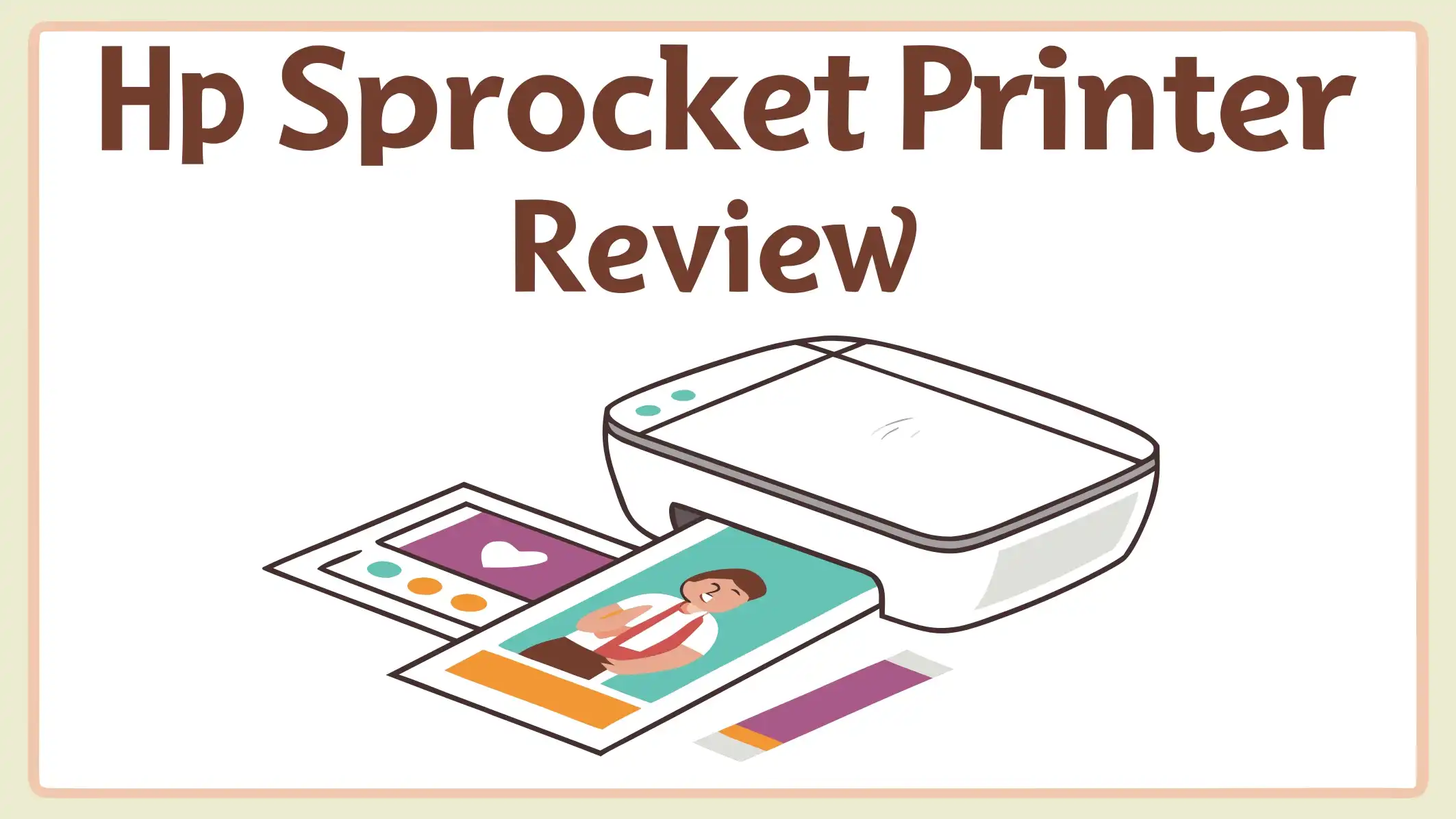
HP Sprocket Printer Review: A Comprehensive Guide
Are you tired of keeping thousands of photos trapped on your smartphone? Do you miss the joy of holding actual printed memories in your hands? The HP Sprocket printer might be exactly what you need. This tiny portable photo printer has taken the world by storm.
In this detailed review, we will explore everything about the HP Sprocket printer. You will discover how it works, what makes it special, and whether it is worth your money.
We will cover the different models available, print quality, ease of use, and much more. By the end of this review, you will know if the HP Sprocket is the right photo printer for your needs.
Key Takeaways
- Portability is the main advantage. The HP Sprocket is incredibly compact and lightweight. It fits easily in your bag or even a large pocket. You can take it to parties, vacations, weddings, or any event where you want to share printed photos instantly.
- No ink cartridges required. The Sprocket uses ZINK (Zero Ink) technology. The special photo paper has color crystals embedded inside. Heat from the printer activates these crystals to create your images. This means no messy ink refills or expensive cartridge replacements.
- Print quality has limitations. While the HP Sprocket produces fun and shareable photos, the quality is not professional grade. Images can appear slightly darker, less detailed, and sometimes oversaturated compared to traditional photo prints. The ZINK technology creates a unique film like aesthetic that many people enjoy.
- Multiple models offer different sizes. HP makes several Sprocket models. The classic 2×3 inch prints fit in your wallet. The Sprocket Select prints slightly larger 2.3×3.4 inch photos. The Sprocket Studio and Studio Plus produce full size 4×6 inch prints with better quality.
- Cost per print varies by model. For the standard Sprocket models, expect to pay about 45 to 50 cents per print. The larger format Studio models cost around 32 cents per print. While not the cheapest option available, the convenience and fun factor make it worthwhile for many users.
What Makes the HP Sprocket Special

- PRINT PHOTOS ON DEMAND HP Sprocket 2nd Edition Printer Prints 2”x 3” Photographs from Your...
- ZINK ZERO INK TECHNOLOGY No Expensive Toner or Ribbon Replacements. Glossy Sticky-Back Photo Paper...

Last update on 2026-08-05 / Affiliate links / Images from Amazon Product Advertising API
The HP Sprocket stands out in the portable printer market for several reasons. This device brings back the excitement of instant photography. Unlike traditional printers that sit on your desk, the Sprocket goes wherever you go.
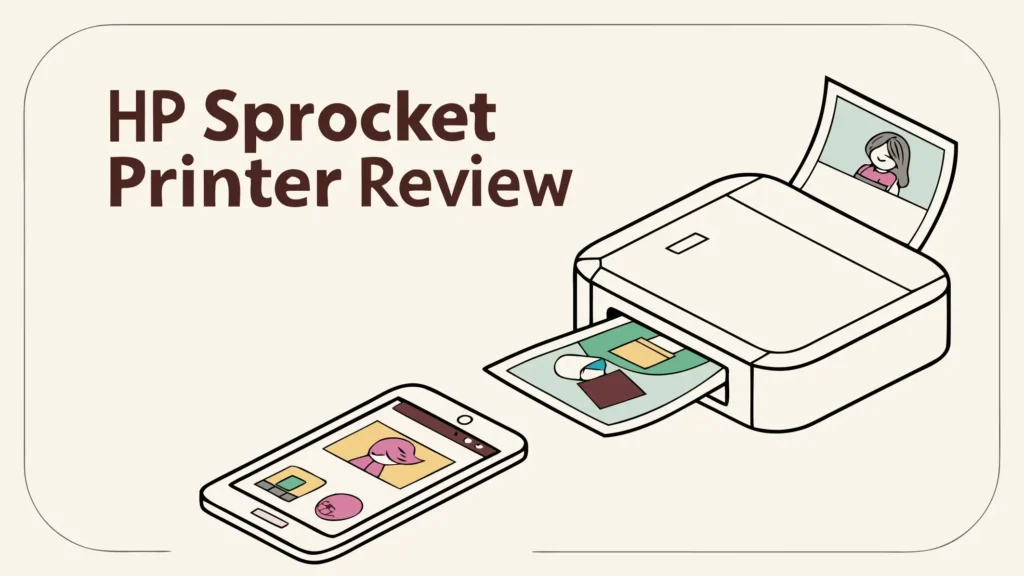
The design philosophy behind the HP Sprocket focuses on simplicity and fun. HP created this printer for people who want physical photos without complicated setup or technical knowledge. You simply connect your phone via Bluetooth, choose a photo, and hit print. Within seconds, your image emerges from the compact device.
The size advantage cannot be overstated. The standard HP Sprocket 2nd Edition measures just 1 by 4.6 by 3.2 inches. It weighs only about 4 ounces. This makes it smaller than most smartphones yet fully capable of producing printed photos. You can slip it into your purse, backpack, or jacket pocket without even noticing the extra weight.
Another standout feature is the social printing capability. The newer Sprocket models support connections from up to three users simultaneously. This means you and your friends can all connect to the same printer at a party. Everyone can print their favorite moments without waiting for others to disconnect. The printer manages multiple print jobs through a queue system accessible in the app.
The ZINK technology eliminates one of the biggest hassles of traditional printing. No ink means no dried out cartridges, no ink smudges on your fingers, and no rushing to buy replacements before an event. The special photo paper contains all the color needed. When heat touches specific areas of the paper, the embedded dye crystals activate to produce cyan, yellow, and magenta colors that combine to create full color images.
HP also integrated augmented reality features into the Sprocket experience. Using the Sprocket app, you can link short video clips to printed photos. When someone scans the photo with their phone camera through the app, the associated video plays. This creates a unique interactive dimension to your printed memories.
Different HP Sprocket Models Explained
HP offers several Sprocket models to meet different needs and budgets. Understanding the differences helps you choose the right one.
The HP Sprocket 2nd Edition is the most popular model. It prints standard 2×3 inch photos with sticky backs. This size fits perfectly in wallets, planners, and scrapbooks. The 2nd Edition improved significantly over the original model with better print quality, more reliable Bluetooth connectivity, and enhanced features. It comes in several color options including Noir, Luna Pearl, and Blush.
The HP Sprocket Plus offers a middle ground option. It produces 2.3×3.4 inch prints, which are 30 percent larger than the standard Sprocket. This extra size makes a noticeable difference when viewing group photos or landscape shots. The Sprocket Plus maintains the same portable form factor while delivering bigger prints. However, it is slightly wider than the 2nd Edition to accommodate the larger paper size.
The HP Sprocket Select represents the third generation of the standard size Sprocket line. It features Bluetooth 5.0 connectivity for faster and more stable connections. The Select model has a slimmer profile compared to earlier versions. It maintains the same 2.3×3.4 inch print size as the Plus model. Many users consider the Select the sweet spot in the Sprocket lineup.
The HP Sprocket Studio takes things to the next level. This model prints full size 4×6 inch photos. It uses dye sublimation technology instead of ZINK. The print quality from the Studio models surpasses the smaller Sprocket printers significantly. However, the Studio is less portable, weighing considerably more than the pocket size models.
The HP Sprocket Studio Plus is the newest and most advanced model. It builds on the Studio foundation with Wi-Fi connectivity in addition to Bluetooth. The Studio Plus produces vibrant, professional looking 4×6 prints. It works great for home use or events where you have space to set up. The downside is reduced portability compared to the compact Sprocket models.
Top 3 Alternatives for HP Sprocket
While the HP Sprocket offers great features, several alternatives deserve your attention. These competitors provide different approaches to portable photo printing.

Last update on 2026-08-05 / Affiliate links / Images from Amazon Product Advertising API

- STEP UP YOUR PRINTING GAME. KODAK Step Printer Connects to Any iOS or Android Device [Via Bluetooth...
- AMAZING ZERO-INK TECHNOLOGY. ZINK 2” x 3” Sticky-Back Paper with Embedded Dye Crystals Delivers...
Last update on 2026-08-05 / Affiliate links / Images from Amazon Product Advertising API

- Print and customize your photos directly from your smartphone or tablet via the Canon Mini Print...
- No ink needed! The IVY 2 Mini Photo Printer uses ZINK (Zero Ink) technology, which features colorful...
Last update on 2026-08-05 / Affiliate links / Images from Amazon Product Advertising API
How the HP Sprocket Works
Understanding how the HP Sprocket operates helps you get the best results. The technology is simple yet clever.
The printing process starts with the app. You download the free HP Sprocket app from the Apple App Store or Google Play Store. The app serves as your control center for all printing activities. It connects to your Sprocket via Bluetooth Low Energy, which uses minimal battery power while maintaining a stable connection.
Loading paper takes just seconds. You slide open the top of the printer and drop in a pack of HP ZINK paper. Each pack contains a blue calibration card that must go in first, face down. The printer automatically scans the barcode on this card to optimize printing for that specific paper batch. This ensures consistent quality across different paper lots.
ZINK technology creates images through heat. The paper contains three layers of color forming crystals: cyan, yellow, and magenta. When the printer head applies precise amounts of heat to specific areas, the crystals activate and release their colors. The process happens in multiple passes across the paper. First yellow activates, then magenta, and finally cyan. A protective polymer coating applies last to protect the finished image.
Print time varies by model. The standard HP Sprocket 2nd Edition takes about 39 seconds to complete a 2×3 inch print. The larger Sprocket Plus requires about 58 seconds for its bigger 2.3×3.4 inch photos. The Studio models take approximately 60 to 90 seconds for full size 4×6 prints. These times include the entire printing process from hitting the button to the finished photo ejecting.
Battery life supports extended sessions. HP claims you can print 35 to 40 photos on a single charge with the standard Sprocket models. The actual number depends on factors like ambient temperature and how long the printer sits idle between prints. The Studio models plug into wall power, though HP offers an optional rechargeable battery for the Studio that provides about 54 prints per charge.
The app offers powerful editing tools. Before printing, you can adjust brightness, contrast, and saturation. You can add borders, text overlays, stickers, and even draw on your photos. The app includes filters to change the mood of your images. For group photos, you can crop and zoom to frame everyone perfectly. The collage feature lets you print multiple smaller images on one sheet.
Print Quality and What to Expect
Print quality often becomes the deciding factor when choosing a portable printer. The HP Sprocket delivers specific results that you should understand before buying.
The ZINK prints have a distinctive look. Images from the Sprocket have a slightly soft, film like quality. They are not as sharp or detailed as traditional photo prints from professional labs or high end photo printers. Colors tend toward warm tones. Skin tones sometimes appear slightly orange or oversaturated. Black areas often lose shadow detail, going to solid black rather than showing subtle gradations.
Improvements in the 2nd Edition made a difference. HP worked extensively with ZINK to enhance output quality. The 2nd Edition applies heat more precisely than the original model. This results in brighter images with more vibrant colors and better detail. When compared side by side with the original Sprocket, the difference is noticeable. Whites are cleaner, colors pop more, and fine details show through better.
Lighting conditions in your photos matter. Images shot in good natural light print best. Photos taken in dim lighting or with harsh shadows present challenges for ZINK technology. The printer struggles to reproduce subtle tonal variations in difficult lighting. Well lit, colorful subjects with good contrast produce the most pleasing prints.
The aesthetic appeals to many users. While not technically perfect, ZINK prints have a nostalgic charm. Many people compare them favorably to Polaroid instant photos. The slightly dreamy, saturated quality evokes memories of instant film photography. For scrapbooking, journaling, and casual sharing, this aesthetic works wonderfully.
Studio models offer significantly better quality. The HP Sprocket Studio and Studio Plus use dye sublimation instead of ZINK. This technology produces sharper images with more accurate colors. Dye sub prints rival or exceed drugstore photo prints in quality. If print quality is your top priority, the Studio models are worth the extra investment and reduced portability.
Ease of Use and Setup
User friendliness defines the HP Sprocket experience. HP designed these printers for people who want zero hassle.
Setup takes less than five minutes. You unbox the printer, charge it via the included USB cable, download the app, and turn on the printer. The app automatically detects the Sprocket and walks you through pairing. No complicated Bluetooth menus or confusing codes. The process is intuitive even for tech novices.
The interface is clean and simple. The Sprocket app uses large, clear icons and straightforward menus. Finding photos to print takes just a few taps. You can access images from your phone camera roll, social media accounts like Instagram and Facebook, or cloud storage services. The app organizes recent prints so you can easily reprint favorites.
Physical controls are minimal. The printer itself has just a power button and a status LED. Everything else happens through the app. This simplicity means less confusion and fewer buttons to learn. The LED changes colors to indicate different states like printing, low battery, or errors.
Paper loading requires no technical skill. You pop open the lid, drop in the paper pack with the blue card first, and close the lid. That is it. The printer handles calibration automatically. You never worry about loading paper upside down or backwards because the design prevents incorrect insertion.
Sleep mode works seamlessly. The printer automatically goes to sleep after a period of inactivity to save battery. When you send a print job, it wakes up instantly without requiring you to press any buttons. This always ready functionality enhances the user experience significantly.
Portability and Design
Portability is where the HP Sprocket truly shines. This printer goes places traditional printers cannot.
The compact size fits anywhere. At roughly the size of a smartphone but thicker, the Sprocket slips into bags, purses, and pockets with ease. You barely notice carrying it. This makes it perfect for travel, events, and impromptu photo sessions. Unlike larger portable printers that require dedicated bag space, the Sprocket tags along effortlessly.
The build quality feels solid yet lightweight. HP used durable plastic construction that survives normal travel wear. The finish resists scratches and fingerprints reasonably well. While not rugged enough for extreme conditions, the Sprocket handles typical use without problems. The lid mechanism feels sturdy and clicks securely closed.
Color options add personality. HP moved beyond basic black and white with the 2nd Edition. The Luna Pearl, Blush, and Noir options let you express your style. Additional colors like Lilac are available through specific retailers. The patterned dots on the printer lid serve both aesthetic and functional purposes, enabling the augmented reality features.
Weight distribution feels balanced. The printer does not feel top heavy or awkward to hold. When printing, it sits flat and stable on tables. The rubber feet prevent sliding during operation. The overall ergonomics make the Sprocket pleasant to use and transport.
Accessories enhance the experience. HP offers matching carrying cases, stickers, and other accessories for Sprocket users. A good case protects your printer and provides space for extra paper packs. Some users keep their Sprocket in a small pouch with a few paper packs, creating a complete portable printing kit.
Cost Analysis and Value
Understanding the true cost of owning an HP Sprocket helps you make an informed decision.
The initial purchase price is moderate. The HP Sprocket 2nd Edition typically retails around 100 to 130 dollars. The Select model runs slightly higher. The Studio Plus commands a premium at around 135 to 150 dollars. These prices place the Sprocket in the middle range for portable photo printers.
Paper costs add up over time. For the standard 2×3 Sprocket, paper packs of 100 sheets cost about 45 dollars. This works out to 45 cents per print. Smaller packs of 20 or 50 sheets have higher per print costs at 50 cents. For the Studio models, 108 print packs cost around 35 dollars, bringing the per print cost to 32 cents.
Comparing to alternatives provides perspective. Traditional photo prints from drugstores or online services cost 10 to 25 cents each. However, these lack the instant gratification and convenience of printing on the spot. Other ZINK printers have similar costs, ranging from 20 cents to over 1 dollar per print depending on size.
The value proposition includes intangibles. Yes, you pay more per print than sending files to a lab. But you gain instant results, social entertainment value, and the ability to share photos immediately at events. For many users, these benefits justify the premium. The joy on people faces when they receive a fresh print straight from your printer creates moments worth the cost.
Long term ownership costs remain reasonable. Unlike inkjet printers that require periodic cartridge replacements and maintenance, the Sprocket has no ongoing costs beyond paper. The battery lasts for years with normal use. The simple design means few parts that can break or wear out. Most users enjoy trouble free operation for several years.
Creative Uses and Applications
The HP Sprocket opens up numerous creative possibilities beyond simple photo printing.
Scrapbooking becomes instant and spontaneous. Traditional scrapbooking requires printing photos in advance or using digital options. With the Sprocket, you print exactly what you need when you need it. The sticky back paper eliminates the need for photo corners or glue. You can create scrapbook pages on the spot at events, capturing and preserving memories in real time.
Journaling and planning get visual. Many people use Sprocket prints in their bullet journals, planners, and diaries. A printed photo adds personal meaning to journal entries. You can document meals, outfits, places visited, and special moments. The small size fits perfectly in most journal formats. The sticky backing keeps photos securely in place.
Gift giving gains a personal touch. Imagine giving someone a birthday card with a fresh print of a favorite memory inside. Or creating a mini photo album as a gift. The Sprocket makes these personalized gestures easy and affordable. You can print photos at parties and send guests home with printed memories as party favors.
Event photography becomes interactive. At weddings, parties, and gatherings, setting up a Sprocket station creates engagement. Guests take photos and print them instantly. They can stick prints in a guest book with messages, creating a unique keepsake for the hosts. This interactive element adds entertainment value to events.
Classroom and educational uses abound. Teachers use Sprockets to print images for classroom displays, student projects, and educational materials. The instant nature supports spontaneous teaching moments. Students can print photos from field trips, experiments, or class activities to include in reports and presentations.
Common Issues and Troubleshooting
Like any technology product, the HP Sprocket can encounter occasional problems. Knowing how to address them helps you get the most from your printer.
Print quality issues sometimes occur. If your prints look faded, streaky, or discolored, several factors might be responsible. First, clean the printer rollers using the blue Smartsheet from your paper pack. Dirt and debris on the rollers affect quality. Second, ensure you are using genuine HP ZINK paper rather than generic alternatives. Third, check that your photos have good resolution and lighting before printing.
Connection problems frustrate users. If your phone will not connect to the Sprocket, try these steps. Restart both your phone and the printer. Make sure Bluetooth is enabled on your phone and no other devices are connected to the Sprocket. Delete the Sprocket from your phone Bluetooth settings and pair fresh through the app. Keep your phone within 15 to 20 feet of the printer for best results.
Paper jams require careful clearing. If paper gets stuck, turn off the printer and open the lid. Gently remove any jammed paper by pulling straight out without tearing. Never force anything. Close the lid and restart the printer. Running a test print helps clear any remaining issues.
Battery problems can develop. If your Sprocket will not charge or loses power quickly, first try a different USB cable and power adapter. The included cable sometimes fails after extended use. Avoid charging in extremely hot or cold environments. If battery issues persist after trying different charging equipment, contact HP support as the battery might need replacement.
Firmware updates solve many issues. HP periodically releases firmware updates for the Sprocket through the app. These updates fix bugs, improve performance, and add features. Always install updates when prompted. The update process takes just a few minutes and requires keeping the printer powered on and connected.
The HP Sprocket App Features
The companion app transforms the HP Sprocket from a simple printer into a creative tool.
Photo editing tools provide creative control. The app includes adjustments for brightness, contrast, saturation, and color temperature. You can apply filters for black and white, vintage, or artistic effects. Cropping and rotation tools help frame your shots perfectly. The interface is intuitive with real time previews showing how changes affect your final print.
Text and sticker overlays personalize prints. Add captions, dates, names, or messages to your photos before printing. Choose from various fonts, sizes, and colors. The sticker library includes hundreds of options from borders and frames to emoji and decorative elements. You can layer multiple stickers and position them precisely with drag and drop simplicity.
Collage mode creates unique layouts. Print multiple photos on a single sheet using collage templates. Options range from simple two image layouts to complex grids with nine or more photos. Each template offers different arrangements and spacing. This feature works great for creating photo strips similar to old photo booth prints.
Augmented reality adds interactive elements. The AR features let you associate video clips with printed photos. When someone scans the print with the app, the video plays. This creates living photos similar to the ones in Harry Potter movies. While somewhat gimmicky, the feature delights recipients and adds a modern twist to physical prints.
Print queue management handles multiple users. When multiple people connect to your Sprocket, the app shows all pending print jobs in a queue. You can reorder prints, pause jobs, or delete unwanted items. This prevents confusion at busy events and gives you control over your printer. Each user is assigned a color that flashes on the printer LED when their job prints.
Comparing HP Sprocket to Competitors
The portable photo printer market offers several alternatives to the HP Sprocket. Understanding the competition helps you make the best choice.
Canon IVY printers compete directly. The Canon IVY line offers similar size and functionality to the Sprocket. Both use ZINK technology and produce comparable print quality. The Canon IVY 2 Mini costs slightly less than the Sprocket. Some users prefer the Canon app interface while others favor HP. Print quality is nearly identical between the two brands.
Kodak Step series provides options. Kodak offers several portable printers including the Step and Step Slim. These also use ZINK paper and similar form factors. Kodak printers tend to cost slightly less than HP models. However, the HP Sprocket generally receives better reviews for print quality and app functionality. The Kodak Mini 2 HD uses dye sublimation like the HP Studio models and produces higher quality prints.
Fujifilm Instax printers offer different aesthetics. The Fujifilm Instax Mini Link prints on actual instant film rather than ZINK paper. The resulting images have a distinctive film look that many people prefer aesthetically. Instax prints cost more per exposure, around 85 cents each. The Instax printers are similarly sized to the Sprocket. If you want authentic instant film aesthetic, Instax printers are worth considering despite the higher running costs.
Polaroid branded printers trade on nostalgia. Polaroid offers several models including the Polaroid Lab which prints from phone screens onto real Polaroid film. These products appeal to nostalgia but cost significantly more both for hardware and film. For most users, the HP Sprocket provides better value and convenience.
Professional portable printers serve different needs. Models like the Canon Selphy produce true photo quality prints but sacrifice portability. These printers are larger, heavier, and require AC power or bulky batteries. If print quality trumps portability, consider these options. If you want something truly pocket sized, the Sprocket wins easily.
Best Use Cases for HP Sprocket
Certain situations and user types benefit most from owning an HP Sprocket.
Social butterflies who attend events frequently find the Sprocket invaluable. If you go to parties, weddings, concerts, or gatherings regularly, bringing a Sprocket adds entertainment value. You become the person who shares instant photo memories with everyone. This social currency makes you popular and creates lasting connections.
Students and young adults represent the core Sprocket demographic. This group values social sharing, creative expression, and portability. Using Sprocket prints in dorm decorations, study materials, and social activities fits perfectly with student lifestyles. The affordable price point makes sense for this budget conscious demographic.
Creative hobbyists including scrapbookers, journal enthusiasts, and crafters love the Sprocket. The instant printing capability supports creative workflows. You can experiment with layouts and designs immediately rather than waiting for prints. The sticky back paper integrates easily into various craft projects.
Parents documenting family life appreciate the convenience. Printing photos of kids activities, family outings, and everyday moments creates tangible memories. Children especially enjoy seeing photos printed instantly. You can create family photo displays, school projects, and keepsakes easily.
Travel enthusiasts value the ultra portable design. The Sprocket fits in carry on bags and day packs without taking valuable space. You can print and share travel photos immediately, giving copies to new friends or keeping travel journals. The battery operation means no hunting for power outlets in foreign countries.
Sustainability and Environmental Considerations
Modern consumers increasingly consider environmental impact when making purchases.
ZINK technology eliminates ink waste. Traditional inkjet printers produce waste from cartridges, many of which end up in landfills. The Sprocket requires no cartridges, reducing this waste stream. However, the special ZINK paper itself has environmental considerations.
Paper production has environmental costs. Manufacturing ZINK paper requires resources and energy. The embedded dye crystals and protective coatings involve chemical processes. HP has not published detailed sustainability data specifically for Sprocket paper production.
Device longevity matters. A Sprocket that lasts several years produces less electronic waste than cheaper alternatives that break quickly. The simple design with few moving parts supports longevity. Proper care should give you years of reliable service.
Recycling options remain limited. Used ZINK paper is not easily recyclable through standard paper recycling programs due to the chemical coatings. HP does not offer a specific recycling program for used Sprocket prints. The adhesive backing further complicates recycling.
Mindful usage reduces impact. Print only photos you truly want rather than experimenting wastefully. Consider digital sharing for most images and reserve printing for special memories. This balanced approach minimizes resource consumption while maintaining the benefit of physical photos.
Future of HP Sprocket and Portable Printing
The portable photo printer market continues evolving with new technologies and features.
Print quality improvements remain a priority. HP continues working with ZINK and developing proprietary technologies to enhance output quality. Future models may incorporate better thermal control, improved paper formulations, or alternative printing methods that maintain portability while increasing quality.
Connectivity options will expand. While current models use Bluetooth and Wi-Fi, future versions might integrate with smart home systems, support NFC tap to print, or offer direct printing from social media without apps. Cloud integration may become more seamless.
Artificial intelligence could enhance features. AI powered photo enhancement could automatically adjust images before printing for optimal results. Smart cropping, face detection for better composition, and automatic color correction may become standard features.
Sustainability focus will increase. Consumer demand for eco friendly products will likely push HP toward more sustainable paper options, renewable materials in printer construction, and recycling programs for devices and consumables.
The market will remain competitive. As portable printers gain popularity, more manufacturers will enter the space with innovative features. This competition benefits consumers through better products and lower prices. HP must continue innovating to maintain market leadership.
Is HP Sprocket Worth Buying
After examining every aspect of the HP Sprocket, we can address the ultimate question.
The Sprocket excels at what it promises. If you want a portable, easy to use printer that produces fun instant photos, the Sprocket delivers. It does not pretend to be a professional photo printer. It offers convenience, portability, and social entertainment. Within those parameters, it succeeds brilliantly.
Consider your priorities and usage patterns. If print quality is your absolute top concern, look at the Studio models or professional photo printers. If portability and instant gratification matter most, the standard Sprocket models are excellent. Match the product to your actual needs rather than wanting it to be something it is not.
The price to value ratio makes sense. At around 100 to 130 dollars for the printer and 45 cents per print, the Sprocket is reasonably priced. You pay for convenience and fun rather than economy. If you print regularly and enjoy sharing physical photos, the cost becomes worthwhile.
The experience matters more than specs. On paper, ZINK quality specs look mediocre. In practice, the experience of printing and sharing instant photos brings joy that specs cannot measure. The smiles when you hand someone a fresh print, the creative projects you complete, and the tangible memories you create have value beyond technical measurements.
Alternatives exist but each has tradeoffs. Competitor products offer similar capabilities with minor variations. The HP Sprocket benefits from strong brand support, wide paper availability, and a mature, polished app. These practical advantages often outweigh minor technical differences.
Frequently Asked Questions
How long do HP Sprocket prints last?
HP Sprocket prints last approximately 40 years when stored properly. Keep them away from direct sunlight and behind glass for maximum longevity. The protective polymer coating on ZINK paper helps resist fading and damage. However, prints exposed to harsh conditions will deteriorate faster. For best results, store important prints in photo albums or frames.
Can you use regular photo paper in HP Sprocket?
No, the HP Sprocket only works with special HP ZINK paper. Regular photo paper will not work because the printer uses heat to activate color crystals embedded in the ZINK paper. The printer has no ink or dye to apply to regular paper. Always purchase genuine HP Sprocket ZINK paper for proper operation and quality results.
Does HP Sprocket work with iPhone and Android?
Yes, the HP Sprocket works with both iPhone and Android devices. The free HP Sprocket app is available in the Apple App Store and Google Play Store. The printer connects via Bluetooth which both platforms support. Features and functionality are identical across both operating systems.
Why is my HP Sprocket printing dark or poor quality?
Dark or poor quality prints usually result from dirty printer rollers or low quality source images. Use the blue cleaning sheet included with paper packs to clean the rollers. Ensure your photos have good lighting and resolution before printing. Check that you are using fresh, genuine HP ZINK paper. Old or improperly stored paper can produce poor results.
How many photos can I print on one charge?
The HP Sprocket 2nd Edition prints approximately 35 to 40 photos per charge. Actual numbers vary based on factors like temperature, how long between prints, and battery age. In cold conditions, battery performance decreases. Newer batteries perform better than older ones. Plan to recharge after about 30 prints to avoid running out during important events.
Can multiple people connect to one HP Sprocket?
Yes, up to three users can connect simultaneously to the HP Sprocket 2nd Edition and newer models. Each person needs the HP Sprocket app installed on their device. The printer manages print jobs through a queue system. The LED on the printer flashes different colors to show whose job is currently printing.
What is the difference between HP Sprocket models?
The main differences are print size and technology. The Sprocket 2nd Edition prints 2×3 inch photos using ZINK. The Sprocket Select prints 2.3×3.4 inch photos with improved Bluetooth connectivity. The Sprocket Studio and Studio Plus print 4×6 inch photos using dye sublimation for much better quality but reduced portability.
Where can I buy HP Sprocket paper?
HP Sprocket paper is available at major retailers including Amazon, Best Buy, Walmart, and Target. You can also purchase directly from HP website. The paper comes in packs of 20, 50, or 100 sheets. Larger packs offer better value per print. Always check expiration dates as old paper can produce poor results.
Can HP Sprocket print from social media?
Yes, the HP Sprocket app connects to social media platforms including Instagram and Facebook. You can print photos directly from your social media feeds without downloading them first. The app also accesses photos from cloud storage services like Google Photos and Dropbox for convenient printing from multiple sources.
Is HP Sprocket good for business or professional use?
The HP Sprocket works best for casual, social printing rather than professional applications. The ZINK print quality is adequate for fun sharing but not professional portfolio work. For business cards, client deliverables, or marketing materials, consider professional printing services or the HP Sprocket Studio models which offer significantly better quality.

Hi, I’m Juli! I’m a tech enthusiast with a passion for discovering and testing the latest gadgets and AI innovations. I created GearGaze to share honest, practical insights that help you make smarter tech decisions.